
← 返回到所有服务
GitHub 仓库信息
获取时间 · 2026年9月15日★ 64,973最新版本: 2026.09.0最后更新: 2026年9月14日
README
<h1 align="center" style="border-bottom: none">
<div>
<a style="color:#36f" href="https://www.nocodb.com">
<img src="/packages/nc-gui/assets/img/brand/nocodb-full.png" height="80" />
<br>
</a>
<br>
</div>
</h1>
<p align="center">
NocoDB is the fastest and easiest way to build databases online.
</p>
<p align="center">
<a href="http://www.nocodb.com"><b>Website</b></a> •
<a href="https://discord.gg/c7GEYrvFtT"><b>Discord</b></a> •
<a href="https://community.nocodb.com/"><b>Community</b></a> •
<a href="https://twitter.com/nocodb"><b>Twitter</b></a> •
<a href="https://www.reddit.com/r/NocoDB/"><b>Reddit</b></a> •
<a href="https://docs.nocodb.com/"><b>Documentation</b></a>
</p>
<div align="center">
[<img height="38" src="https://user-images.githubusercontent.com/61551451/135263434-75fe793d-42af-49e4-b964-d70920e41655.png">](markdown/readme/languages/chinese.md)
[<img height="38" src="https://user-images.githubusercontent.com/61551451/135263474-787d71e7-3a87-42a8-92a8-be1d1f55413d.png">](markdown/readme/languages/french.md)
[<img height="38" src="https://user-images.githubusercontent.com/61551451/135263531-fae58600-6616-4b43-95a0-5891019dd35d.png">](markdown/readme/languages/german.md)
[<img height="38" src="https://user-images.githubusercontent.com/61551451/135263589-3dbeda9a-0d2e-4bbd-b1fc-691404bb74fb.png">](markdown/readme/languages/spanish.md)
[<img height="38" src="https://user-images.githubusercontent.com/61551451/135263669-f567196a-d4e8-4143-a80a-93d3be32ba90.png">](markdown/readme/languages/portuguese.md)
[<img height="38" src="https://user-images.githubusercontent.com/61551451/135263707-ba4e04a4-268a-4626-91b8-048e572fd9f6.png">](markdown/readme/languages/italian.md)
[<img height="38" src="https://user-images.githubusercontent.com/61551451/135263770-38e3e79d-11d4-472e-ac27-ae0f17cf65c4.png">](markdown/readme/languages/japanese.md)
[<img height="38" src="https://user-images.githubusercontent.com/61551451/135263822-28fce9de-915a-44dc-962d-7a61d340e91d.png">](markdown/readme/languages/korean.md)
[<img height="38" src="https://user-images.githubusercontent.com/61551451/135263888-151d4ad1-7084-4943-97c9-56f28cd40b80.png">](markdown/readme/languages/russian.md)
[<img height="38" alt="Bengali translation" src="">](markdown/readme/languages/bengali.md)
</div>
<p align="center"><a href="markdown/readme/languages/README.md"><b>See other languages »</b></a></p>
<img src="https://static.scarf.sh/a.png?x-pxid=c12a77cc-855e-4602-8a0f-614b2d0da56a" />
# Join Our Community
<a href="https://discord.gg/c7GEYrvFtT" target="_blank">
<img src="https://discordapp.com/api/guilds/661905455894888490/widget.png?style=banner3" alt="">
</a>
[](https://github.com/nocodb/nocodb/stargazers)
# Installation
## Docker with SQLite
```bash
docker run -d \
--name noco \
-v "$(pwd)"/nocodb:/usr/app/data/ \
-p 8080:8080 \
nocodb/nocodb:latest
```
## Docker with PG
```bash
docker run -d \
--name noco \
-v "$(pwd)"/nocodb:/usr/app/data/ \
-p 8080:8080 \
-e NC_DB="pg://host.docker.internal:5432?u=root&p=password&d=d1" \
-e NC_AUTH_JWT_SECRET="569a1821-0a93-45e8-87ab-eb857f20a010" \
nocodb/nocodb:latest
```
## Auto-upstall
Auto-upstall is a single command that sets up NocoDB on a server for production usage.
Behind the scenes it auto-generates docker-compose for you.
```bash
bash <(curl -sSL http://install.nocodb.com/noco.sh) <(mktemp)
```
Auto-upstall does the following: 🕊
- 🐳 Automatically installs all pre-requisites like docker, docker-compose
- 🚀 Automatically installs NocoDB with PostgreSQL, Redis, Traefik gateway using Docker Compose. 🐘 🗄️ 🌐
- 🔄 Automatically upgrades NocoDB to the latest version when you run the command again.
- 🔒 Automatically setups SSL and also renews it. Needs a domain or subdomain as input while installation.
> install.nocodb.com/noco.sh script can be found [here in our github](https://raw.githubusercontent.com/nocodb/nocodb/develop/docker-compose/1_Auto_Upstall/noco.sh)
## Other Methods
> Binaries are only for quick testing locally.
| Install Method | Command to install |
|-------------------------------|----------------------------------------------------------------------------------------------------------------------------------------------------------------------------------------------------------------------------------------------------------------------------------------------------------------------------------------------------------------------------|
| 🍏 MacOS arm64 <br>(Binary) | `curl http://get.nocodb.com/macos-arm64 -o nocodb -L && chmod +x nocodb && ./nocodb` |
| 🍏 MacOS x64 <br>(Binary) | `curl http://get.nocodb.com/macos-x64 -o nocodb -L && chmod +x nocodb && ./nocodb` |
| 🐧 Linux arm64 <br>(Binary) | `curl http://get.nocodb.com/linux-arm64 -o nocodb -L && chmod +x nocodb && ./nocodb` |
| 🐧 Linux x64 <br>(Binary) | `curl http://get.nocodb.com/linux-x64 -o nocodb -L && chmod +x nocodb && ./nocodb` |
| 🪟 Windows arm64 <br>(Binary) | `iwr http://get.nocodb.com/win-arm64.exe -OutFile Noco-win-arm64.exe && .\Noco-win-arm64.exe` |
| 🪟 Windows x64 <br>(Binary) | `iwr http://get.nocodb.com/win-x64.exe -OutFile Noco-win-x64.exe && .\Noco-win-x64.exe` |
> When running locally access nocodb by visiting: [http://localhost:8080/dashboard](http://localhost:8080/dashboard)
For more installation methods, please refer to [our docs](https://nocodb.com/docs/self-hosting)
# Screenshots
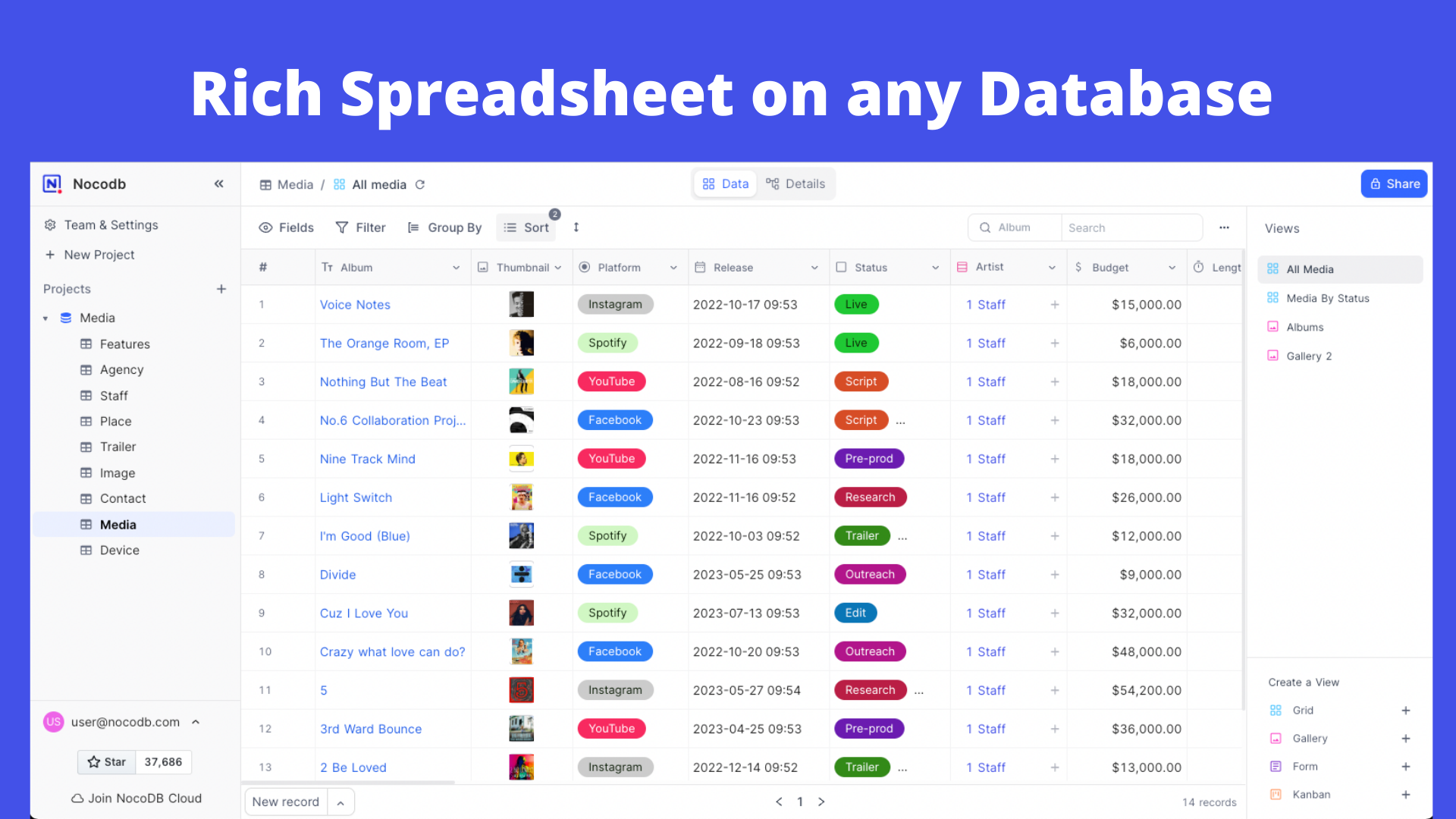
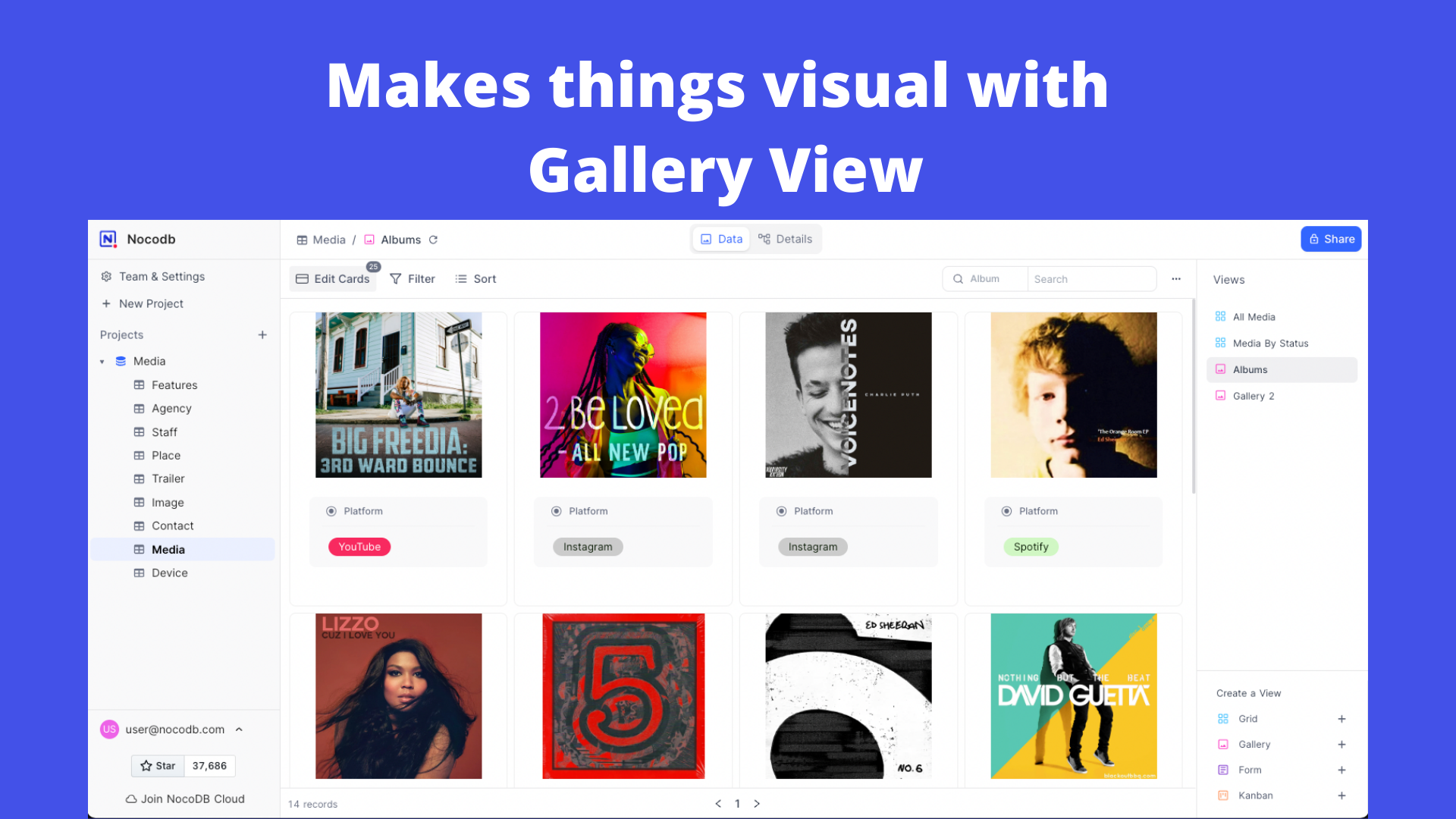
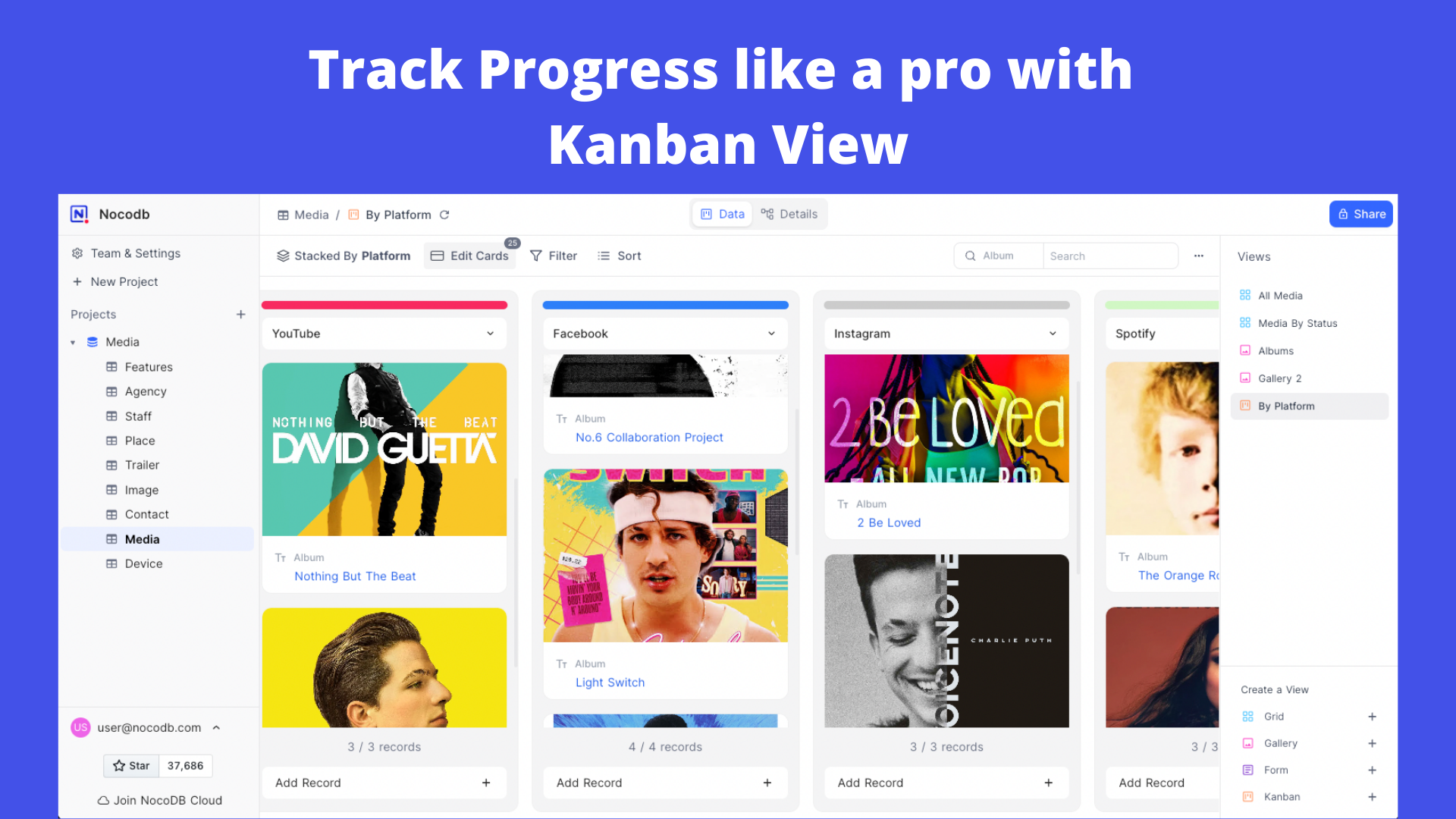



# Features
### Rich Spreadsheet Interface
- ⚡ Basic Operations: Create, Read, Update and Delete Tables, Columns, and Rows
- ⚡ Fields Operations: Sort, Filter, Group, Hide / Unhide Columns
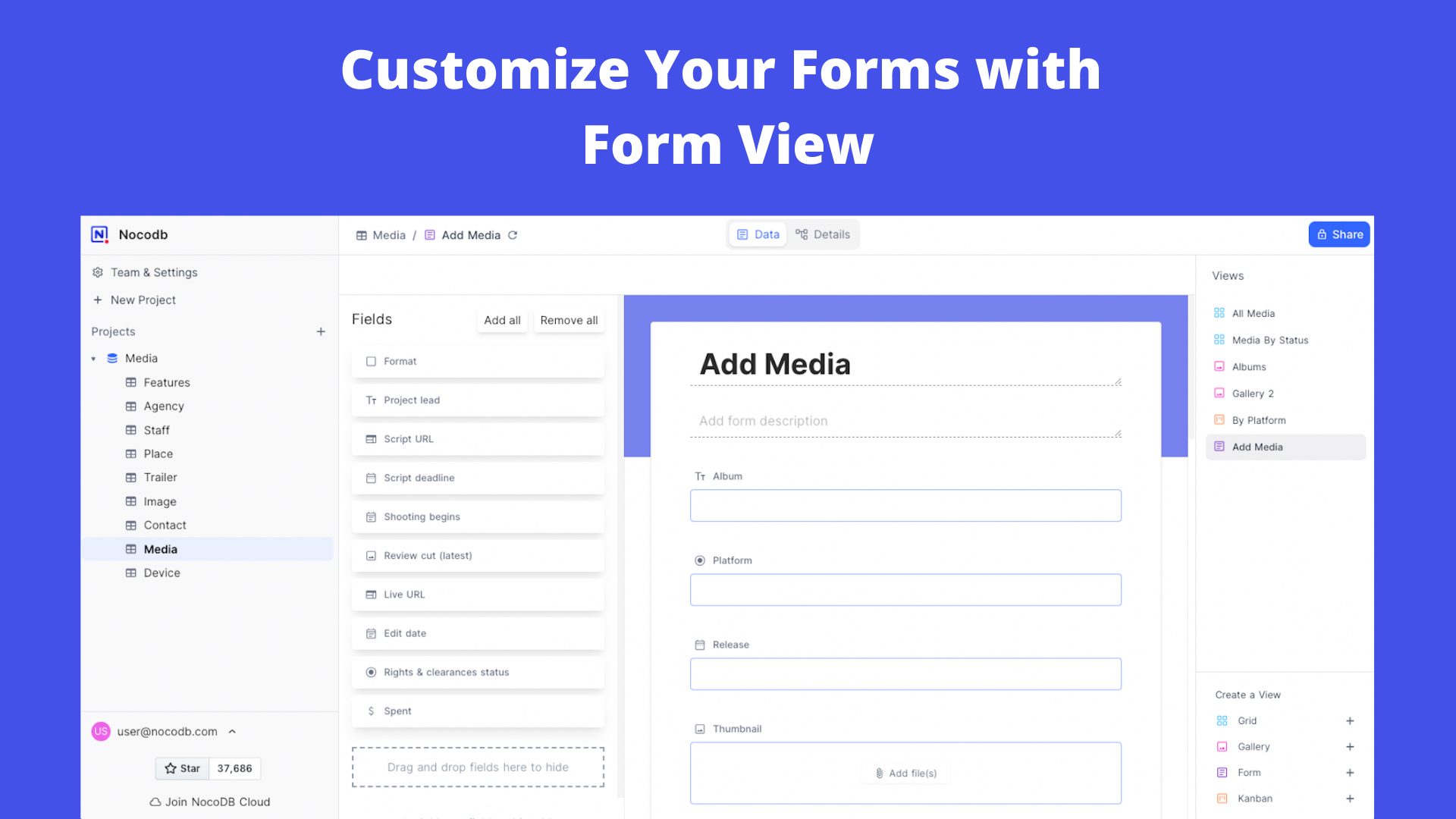
- ⚡ Multiple Views Types: Grid (By default), Gallery, Form, Kanban and Calendar View
- ⚡ View Permissions Types: Collaborative Views, & Locked Views
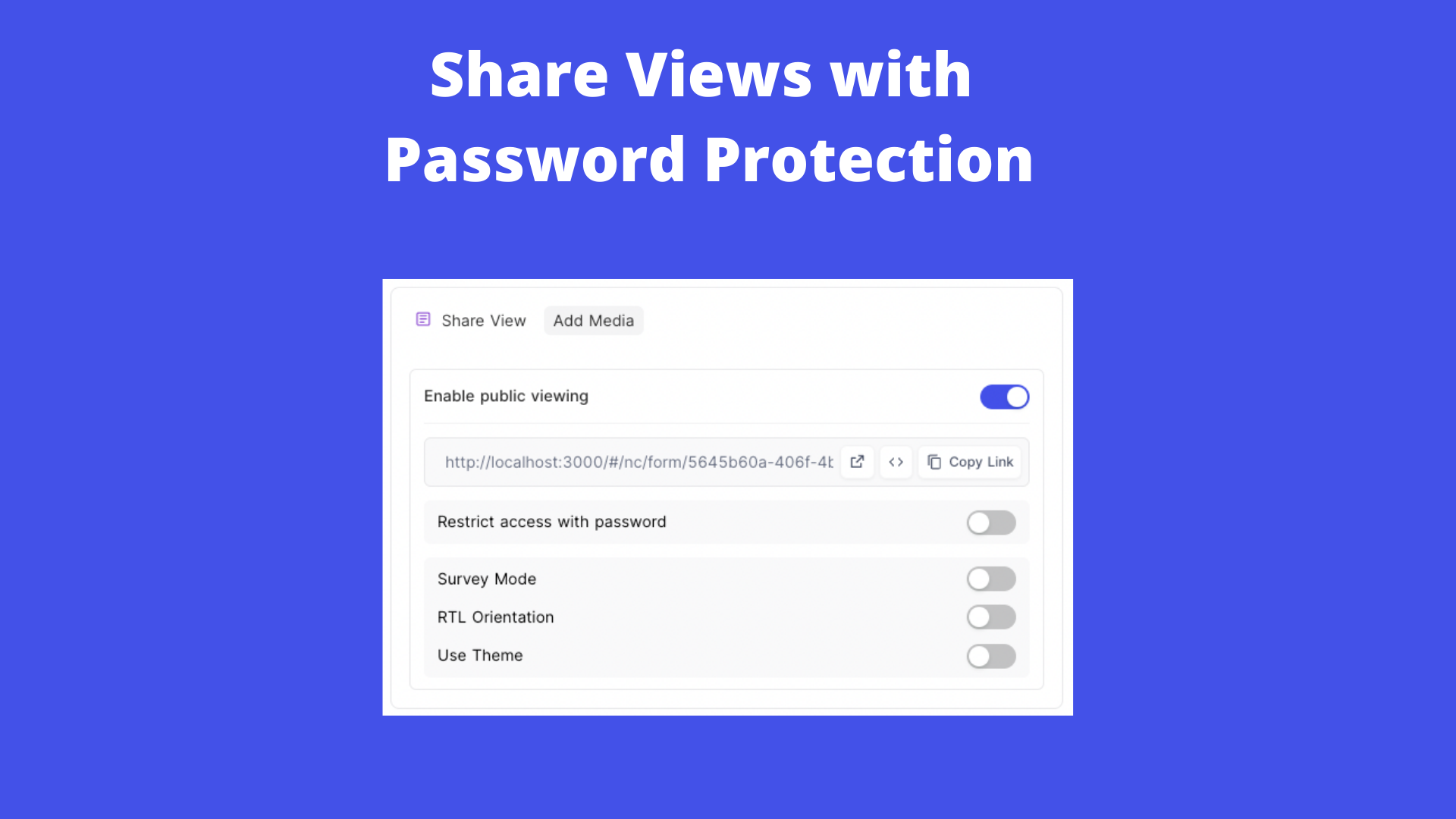
- ⚡ Share Bases / Views: either Public or Private (with Password Protected)
- ⚡ Variant Cell Types: ID, Links, Lookup, Rollup, SingleLineText, Attachment, Currency, Formula, User, etc
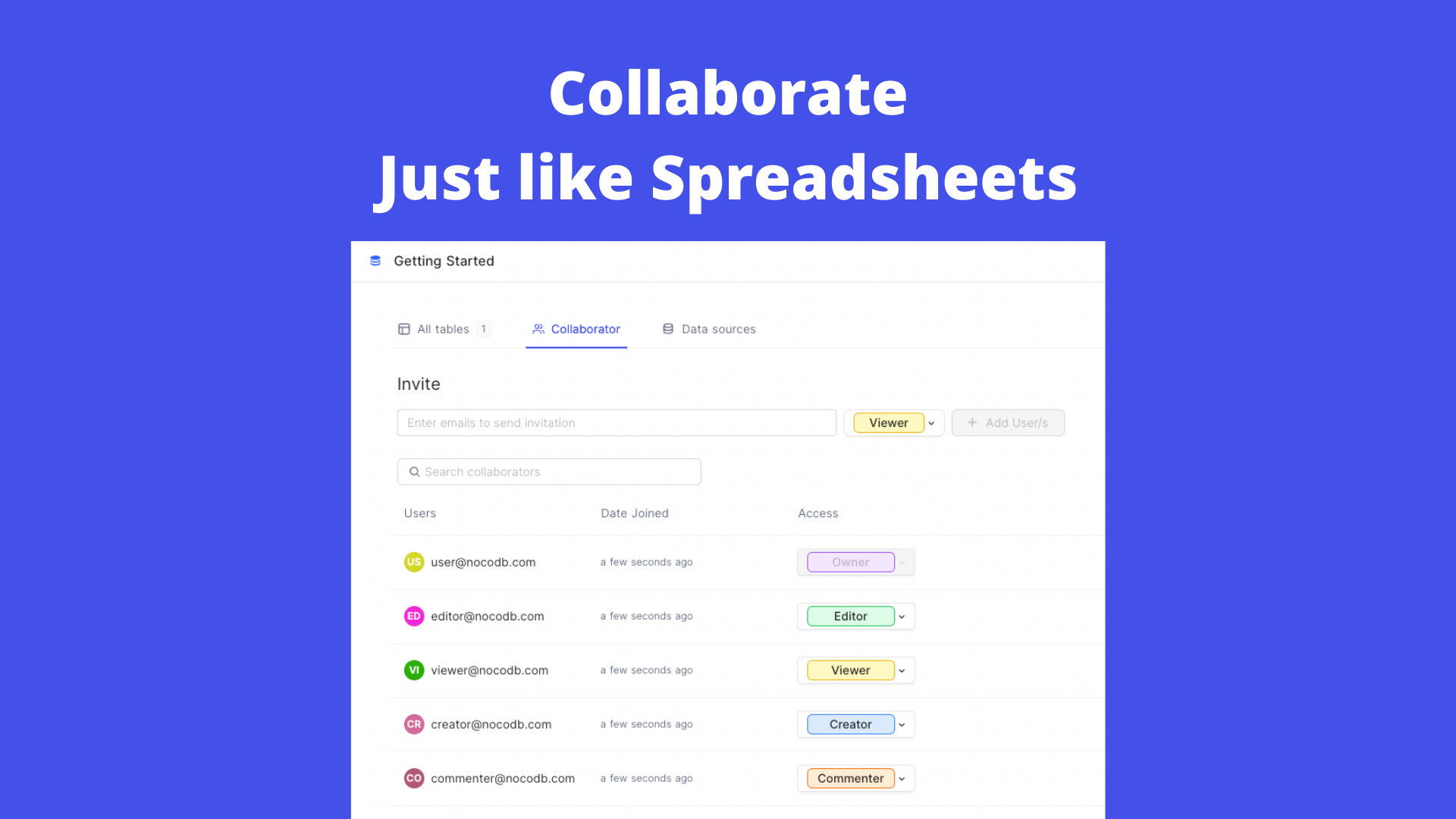
- ⚡ Access Control with Roles: Fine-grained Access Control at different levels
- ⚡ and more ...
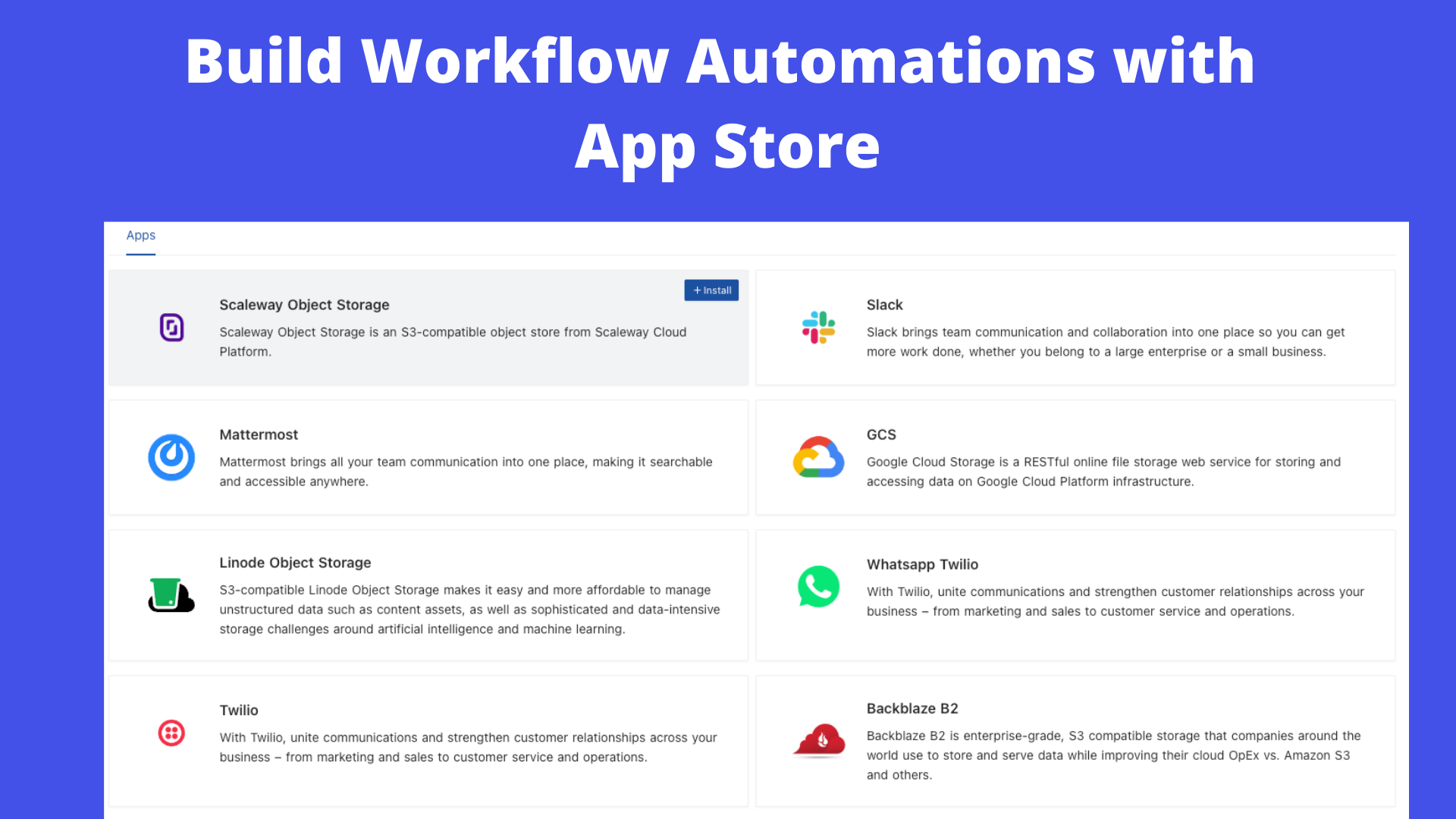
### App Store for Workflow Automations
We provide different integrations in three main categories. See <a href="https://docs.nocodb.com/account-settings/oss-specific-details/#app-store" target="_blank">App Store</a> for details.
- ⚡ Chat: Slack, Discord, Mattermost, and etc
- ⚡ Email: AWS SES, SMTP, MailerSend, and etc
- ⚡ Storage: AWS S3, Google Cloud Storage, Minio, and etc
### Programmatic Access
We provide the following ways to let users programmatically invoke actions. You can use a token (either JWT or Social Auth) to sign your requests for authorization to NocoDB.
- ⚡ REST APIs
- ⚡ NocoDB SDK
# Contributing
Please refer to [Contribution Guide](https://github.com/nocodb/nocodb/blob/master/.github/CONTRIBUTING.md).
# Why are we building this?
Most internet businesses equip themselves with either spreadsheet or a database to solve their business needs. Spreadsheets are used by Billion+ humans collaboratively every single day. However, we are way off working at similar speeds on databases which are way more powerful tools when it comes to computing. Attempts to solve this with SaaS offerings have meant horrible access controls, vendor lock-in, data lock-in, abrupt price changes & most importantly a glass ceiling on what's possible in the future.
# Our Mission
Our mission is to provide the most powerful no-code interface for databases, accessible to every internet business across the world. By making this capability broadly available under a fair and sustainable model, we aim to democratise access to powerful computing tools and enable a billion-plus people to develop radical tinkering and building abilities on the internet.
# License
<p>
This project is licensed under <a href="./LICENSE.md">Sustainable Use License</a>.
</p>
# Contributors
Thank you for your contributions! We appreciate all the contributions from the community.
<a href="https://github.com/nocodb/nocodb/graphs/contributors">
<img src="https://contrib.rocks/image?repo=nocodb/nocodb" />
</a>
NocoDB 可以把 MySQL、PostgreSQL、SQL Server 等关系型数据库转换成类似 Airtable 的在线协作表格,帮助团队在无需写代码的情况下搭建内部系统与数据工作流。
核心功能
- 多数据库支持:兼容主流 SQL 数据库,也可连接现有业务库直接生成表格视图。
- 丰富的视图类型:提供表格、看板、画廊、日历、甘特图等不同视图,满足多场景需求。
- 角色与权限:支持多种权限级别,并能针对视图或字段设置访问范围,保障数据安全。
- 自动化与集成:内置自动化流程,可连接 Slack、Teams、Zapier 等服务触发通知或同步。
- API 网关:自动生成 REST 与 GraphQL API,便于快速对接前端或第三方系统。
- 表单收集:快速生成对外分享的 Web 表单,自动落地到数据库表中,适合线索收集与问卷场景。
- 插件生态:可通过 Marketplace 安装扩展组件,增强图表分析、数据导入导出等高级功能。
典型场景
- 业务团队自助建表:销售或运营团队可在现有业务数据库之上搭建 CRM、线索池等协作表格。
- 项目流程管理:结合看板、甘特图视图与通知,覆盖项目进度追踪、排程与资源协调。
- 数据门户与仪表盘:利用图表与视图共享,把复杂 SQL 数据转换成面向业务方的易读界面。
部署建议
- 使用官方 Docker 镜像即可快速启动,推荐搭配外部数据库以便升级与备份。
- 在
docker-compose.yml中配置NC_DB相关环境变量,指向持久化数据库实例,并设置NC_PUBLIC_URL供系统生成正确的链接。 - 生产环境建议启用反向代理与 HTTPS,配置 SMTP 邮件服务(
NC_SMTP_FROM、NC_SMTP_USER等)用于邀请协作者。 - 如果需要存储大量附件,可选择对象存储(如 S3、MinIO),并在环境变量中启用相关驱动。
- 定期备份数据库与上传的静态资源,确保视图配置和文件附件安全。