
← 返回到所有服务
GitHub 仓库信息
获取时间 · 2026年9月15日★ 49,943最新版本: v2026.09.09最后更新: 2026年9月15日
README

-----
## What is Huginn?
Huginn is a system for building agents that perform automated tasks for you online. They can read the web, watch for events, and take actions on your behalf. Huginn's Agents create and consume events, propagating them along a directed graph. Think of it as a hackable version of IFTTT or Zapier on your own server. You always know who has your data. You do.

#### Here are some of the things that you can do with Huginn:
* Track the weather and get an email when it's going to rain (or snow) tomorrow ("Don't forget your umbrella!")
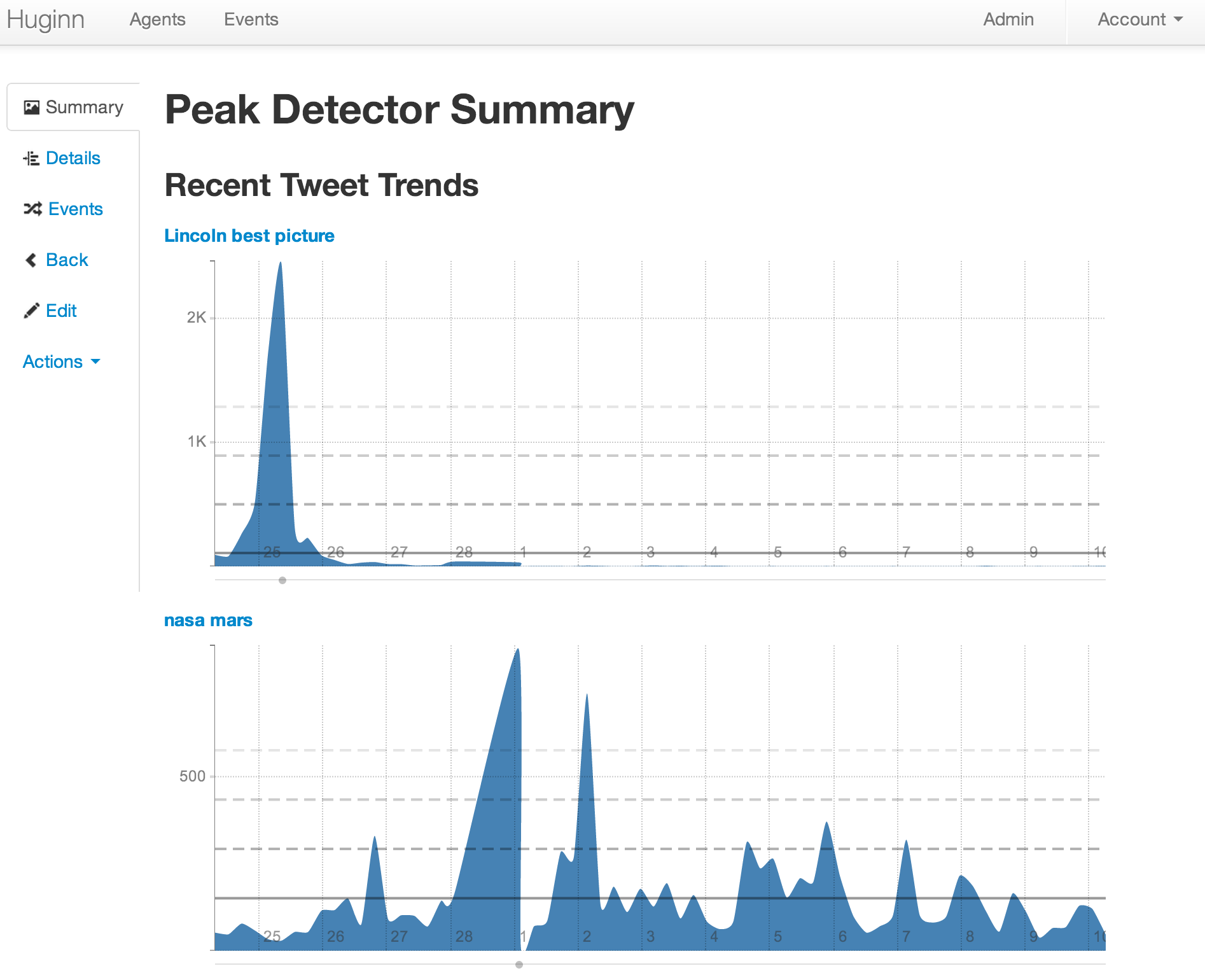
* List terms that you care about and receive email when their occurrence on Twitter changes. (For example, want to know when something interesting has happened in the world of Machine Learning? Huginn will watch the term "machine learning" on Twitter and tell you when there is a spike in discussion.)
* Watch for air travel or shopping deals
* Follow your project names on Twitter and get updates when people mention them
* Scrape websites and receive email when they change
* Connect to HipChat, FTP, IMAP, Jabber, JIRA, MQTT, nextbus, Pushbullet, Pushover, RSS, Bash, Slack, StubHub, translation APIs, Twilio, Twitter, and Weibo, to name a few.
* Send digest email with things that you care about at specific times during the day
* Track counts of high frequency events and send an SMS within moments when they spike, such as the term "san francisco emergency"
* Send and receive WebHooks
* Run custom JavaScript functions
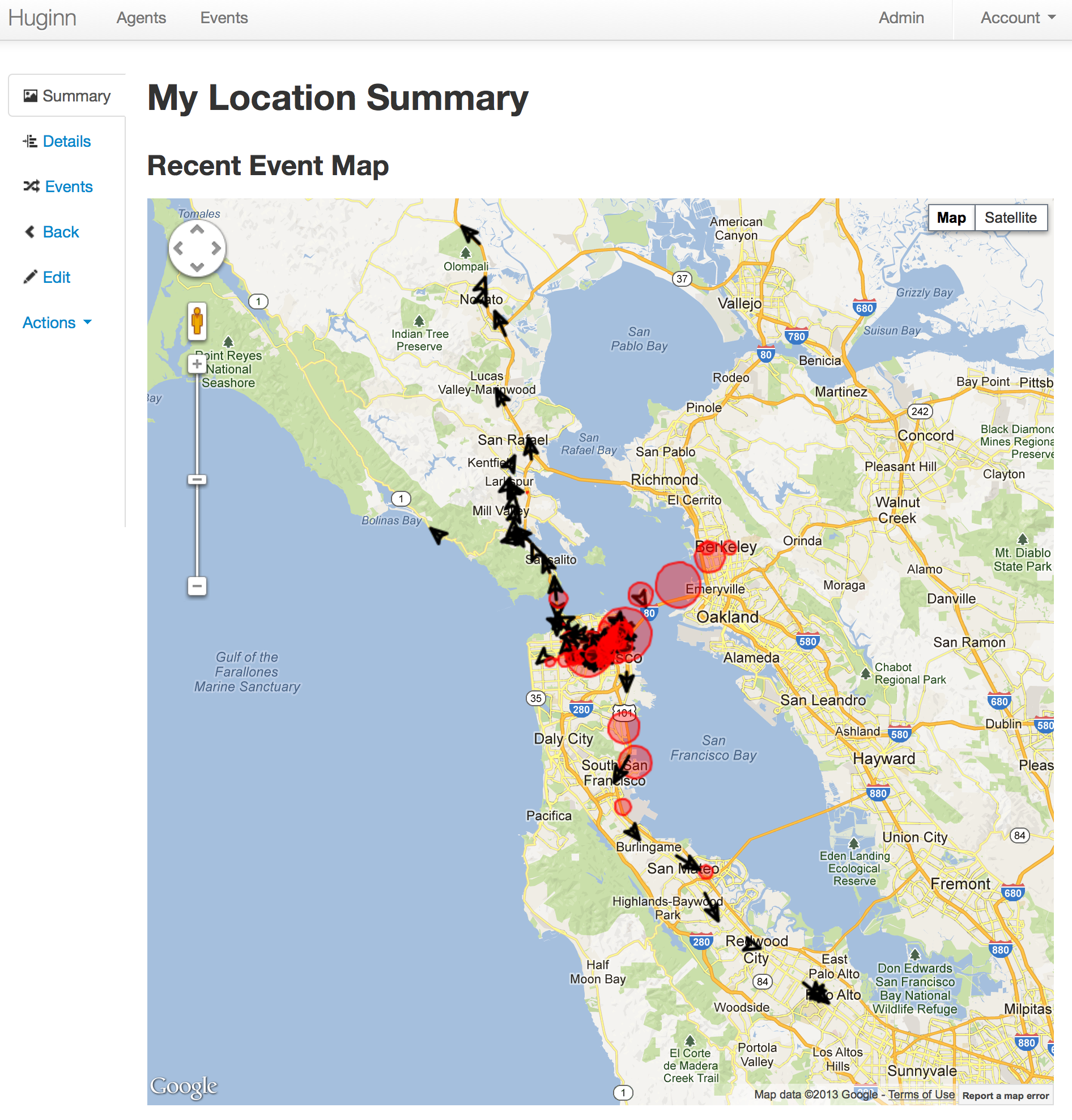
* Track your location over time
* Create Amazon Mechanical Turk workflows with the external [HumanTaskAgent](https://github.com/huginn/huginn_human_task_agent). For example: "Once a day, ask 5 people for a funny cat photo; send the results to 5 more people to be rated; send the top-rated photo to 5 people for a funny caption; send to 5 final people to rate for funniest caption; finally, post the best captioned photo on my blog."
[](https://gitter.im/huginn/huginn?utm_source=badge&utm_medium=badge&utm_campaign=pr-badge&utm_content=badge) [](https://changelog.com/podcast/199)
Join us in our [Gitter room](https://gitter.im/huginn/huginn) to discuss the project.
### Join us!
Want to help with Huginn? All contributions are encouraged! You could make UI improvements, [add new Agents](https://github.com/huginn/huginn/wiki/Creating-a-new-agent), write [documentation and tutorials](https://github.com/huginn/huginn/wiki), or try tackling [issues tagged with #"help wanted"](https://github.com/huginn/huginn/issues?direction=desc&labels=help+wanted&page=1&sort=created&state=open). Please fork, add specs, and send pull requests!
Have an awesome idea but not feeling quite up to contributing yet? Head over to our [Official 'suggest an agent' thread ](https://github.com/huginn/huginn/issues/353) and tell us!
## Examples
Please checkout the [Huginn Introductory Screencast](http://vimeo.com/61976251)!
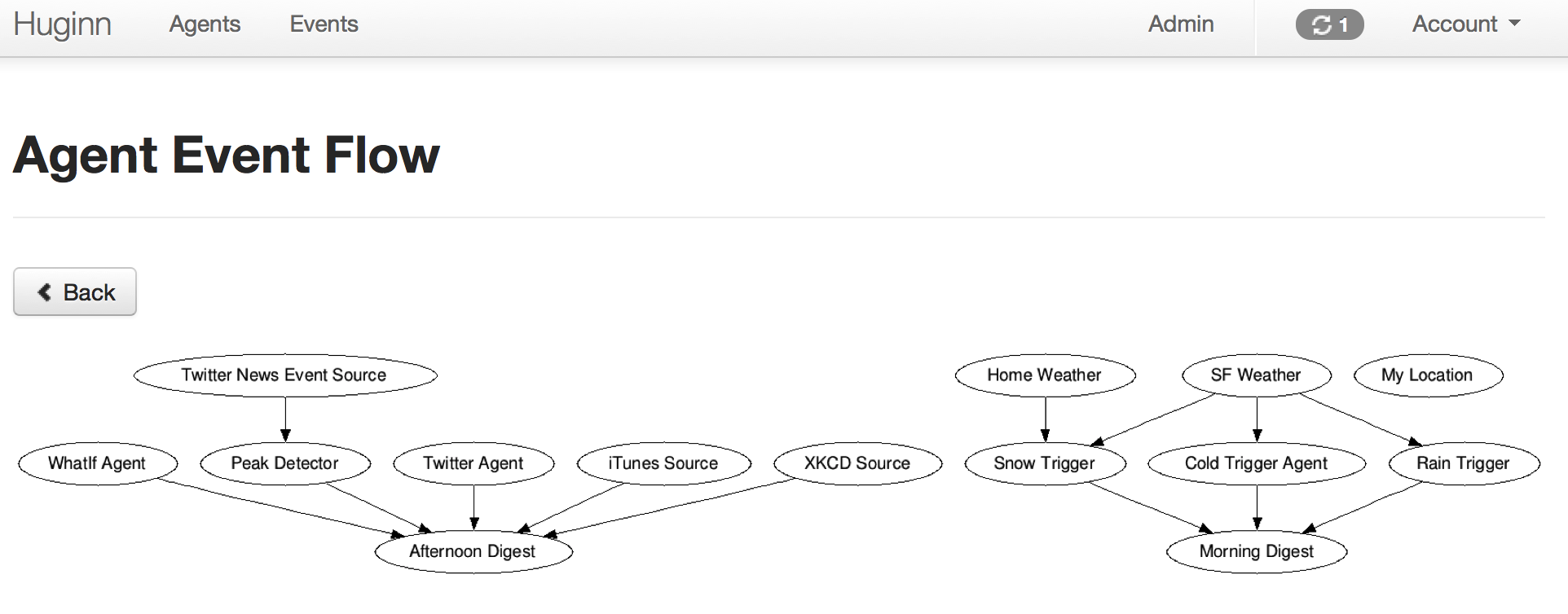
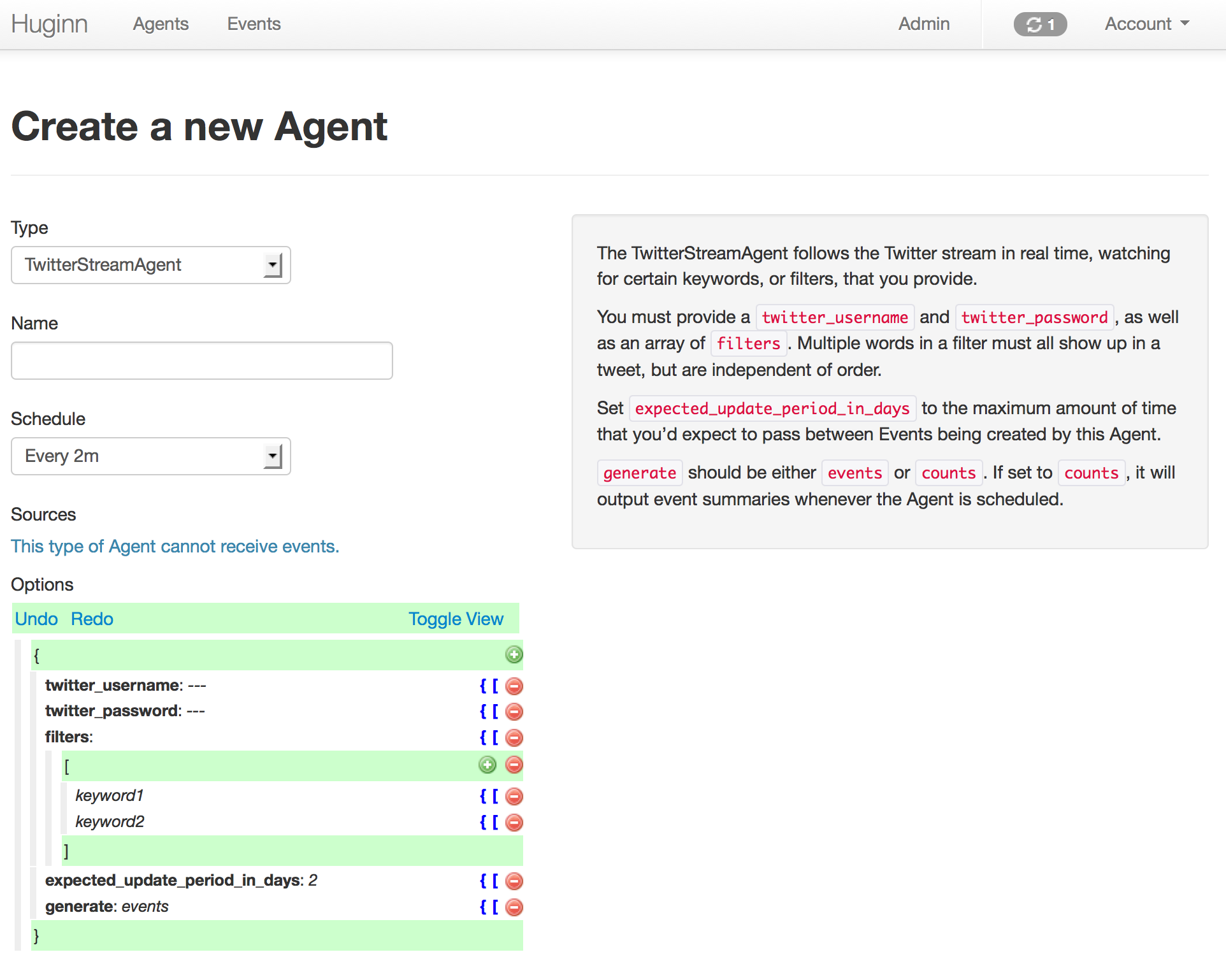
And now, some example screenshots. Below them are instructions to get you started.

## Getting Started
### Docker
The quickest and easiest way to check out Huginn is to use the official Docker image. Have a look at the [documentation](https://github.com/huginn/huginn/blob/master/doc/docker/install.md).
### Local Installation
If you just want to play around, you can simply fork this repository, then perform the following steps:
* Run `git remote add upstream https://github.com/huginn/huginn.git` to add the main repository as a remote for your fork.
* Copy `.env.example` to `.env` (`cp .env.example .env`) and edit `.env`, at least updating the `APP_SECRET_TOKEN` variable.
* Make sure that you have MySQL or PostgreSQL installed. (On a Mac, the easiest way is with [Homebrew](http://brew.sh/). If you're going to use PostgreSQL, you'll need to prepend all commands below with `DATABASE_ADAPTER=postgresql`.)
* Run `bundle` to install dependencies
* Run `bundle exec rake db:create`, `bundle exec rake db:migrate`, and then `bundle exec rake db:seed` to create a development database with some example Agents.
* Run `bundle exec foreman start`, visit [http://localhost:3000/][localhost], and login with the username of `admin` and the password printed by `rake db:seed` (or set `SEED_PASSWORD` to choose one).
* Setup some Agents!
* Read the [wiki][wiki] for usage examples and to get started making new Agents.
* Periodically run `git fetch upstream` and then `git checkout master && git merge upstream/master` to merge in the newest version of Huginn.
Note: By default, email messages are intercepted in the `development` Rails environment, which is what you just setup. You can view
them at [http://localhost:3000/letter_opener](http://localhost:3000/letter_opener). If you'd like to send real email via SMTP when playing
with Huginn locally, set `SEND_EMAIL_IN_DEVELOPMENT` to `true` in your `.env` file.
If you need more detailed instructions, see the [Novice setup guide][novice-setup-guide].
[localhost]: http://localhost:3000/
[wiki]: https://github.com/huginn/huginn/wiki
[novice-setup-guide]: https://github.com/huginn/huginn/wiki/Novice-setup-guide
### Develop
All agents have specs! And there's also acceptance tests that simulate running Huginn in a headless browser.
* Install Google Chrome and ChromeDriver for local feature specs
* Or use the Docker-based test environment in [`docker/test/README.md`](docker/test/README.md)
* Run all specs with `bundle exec rspec`
* Run a specific spec with `bundle exec rspec path/to/specific/test_spec.rb`.
* Read more about rspec for rails [here](https://github.com/rspec/rspec-rails).
## Using Huginn Agent gems
Huginn Agents can now be written as external gems and be added to your Huginn installation with the `ADDITIONAL_GEMS` environment variable. See the `Additional Agent gems` section of `.env.example` for more information.
If you'd like to write your own Huginn Agent Gem, please see [huginn_agent](https://github.com/huginn/huginn_agent).
Our general intention is to encourage complex and specific Agents to be written as Gems, while continuing to add new general-purpose Agents to the core Huginn repository.
## Deployment
Please see [the Huginn Wiki](https://github.com/huginn/huginn/wiki#deploying-huginn) for detailed deployment strategies for different providers.
### Heroku
Try Huginn on Heroku: [](https://heroku.com/deploy) (Takes a few minutes to setup. Read the [documentation](https://github.com/huginn/huginn/blob/master/doc/heroku/install.md) while you are waiting and be sure to click 'View it' after launch!) Huginn launches only on a paid subscription plan for Heroku. For non-experimental use, we strongly recommend Heroku's 1GB paid plan or our Docker container.
### OpenShift
#### OpenShift Online
Try Huginn on OpenShift Online
Create a new app with either `mysql` or `postgres`:
```bash
oc new-app -f https://raw.githubusercontent.com/huginn/huginn/master/openshift/templates/huginn-mysql.json
```
or
```bash
oc new-app -f https://raw.githubusercontent.com/huginn/huginn/master/openshift/templates/huginn-postgresql.json
```
**Note**: You can also use the web console to import either json file by going to "Add to Project" -> "Import YAML/JSON".
If you are on the Starter plan, make sure to follow the [guide](https://docs.openshift.com/online/getting_started/beyond_the_basics.html#btb-creating-a-new-application-from-source-code) to remove any existing application.
The templates should work on a v3 installation or the current v4 online.
### Manual installation on any server
Have a look at the [installation guide](https://github.com/huginn/huginn/blob/master/doc/manual/README.md).
### Optional Setup
#### Setup for private development
See [private development instructions](https://github.com/huginn/huginn/wiki/Private-development-instructions) on the wiki.
#### Enable the WeatherAgent
In order to use the WeatherAgent you need an [Weather Data API key from Pirate Weather](https://pirate-weather.apiable.io/products/weather-data). Sign up for one and then change the value of `api_key: your-key` in your seeded WeatherAgent.
#### Restrict outbound requests on shared instances
If people you do not fully trust can create Agents on your instance, route outbound requests through an egress proxy so that Agents cannot reach internal services. See [doc/manual/outbound-requests.md](doc/manual/outbound-requests.md).
#### Disable SSL
We assume your deployment will run over SSL. This is a very good idea! However, if you wish to turn this off, you'll probably need to edit `config/initializers/devise.rb` and modify the line containing `config.rememberable_options = { :secure => true }`. You will also need to edit `config/environments/production.rb` and modify the value of `config.force_ssl`.
## License
Huginn is provided under the MIT License.
Huginn was originally created by [@cantino](https://github.com/cantino) in 2013. Since then, many people's dedicated contributions have made it what it is today.
[](https://github.com/huginn/huginn/actions/workflows/ci.yml) [](https://coveralls.io/r/huginn/huginn)
Huginn 是一个自动化代理系统,可以监控网站、执行任务、发送通知,实现自动化工作流。它允许用户创建代理来执行自动化任务,类似于 IFTTT 或 Zapier,但完全自主托管。
主要功能
- 自动化代理:创建自定义代理执行自动化任务
- 多种触发器:支持多种事件触发方式
- 数据转换:支持数据格式转换和处理
- 通知系统:支持多种通知方式
- API 集成:支持多种 API 和服务集成
- 定时任务:支持定时执行任务
- 条件控制:支持复杂的条件判断
- 数据存储:支持数据持久化
部署要求
- 支持多种部署方式:Docker、手动安装
- 操作系统:支持 Linux、macOS
- 最低配置:1核 CPU,1GB 内存
- 推荐配置:2核+ CPU,2GB+ 内存
- 存储空间:取决于代理数量和任务频率