
Wayback
A self-hosted toolkit for archiving webpages to the Internet Archive, archive.today, IPFS, and local file systems.
A self-hosted toolkit for archiving webpages to the Internet Archive, archive.today, IPFS, and local file systems.
# Wayback
[](https://github.com/wabarc/wayback/blob/main/LICENSE)
[](https://goreportcard.com/report/github.com/wabarc/wayback)
[](https://codecov.io/gh/wabarc/wayback)
[](https://pkg.go.dev/github.com/wabarc/wayback)
[](https://github.com/wabarc/wayback/releases)
[](https://t.me/wabarc_bot)
[](https://discord.com/api/oauth2/authorize?client_id=863324809206169640&permissions=2147796992&scope=bot%20applications.commands)
[](https://matrix.to/#/@wabarc_bot:matrix.org)
[](https://matrix.to/#/#wabarc:matrix.org)
[](http://wabarcoww2bxmdbixj7sjwggv3fonh2rpflfiildegcydk5udkdckdyd.onion/)
[](https://wabarc.eu.org/)
[](https://iris.to/#/profile/npub1gm4xeu8wlt6aa56zenutkwa0ppjng5axsscv424d0xvv5jalxxzs4hjukz)
Wayback is a web archiving and playback tool that allows users to capture and preserve web content. It provides an IM-style interface for receiving and presenting archived web content, and a search and playback service for retrieving previously archived pages. Wayback is designed to be used by web archivists, researchers, and anyone who wants to preserve web content and access it in the future.
## Features
- Free and open-source
- Expose prometheus metrics
- Cross-platform compatibility
- Batch wayback URLs for faster archiving
- Built-in CLI (`wayback`) for convenient use
- Serve as a Tor Hidden Service or local web entry for added privacy and accessibility
- Easier wayback to Internet Archive, archive.today, IPFS and Telegraph integration
- Interactive with IRC, Matrix, Telegram bot, Discord bot, Mastodon, Twitter, and XMPP as a daemon service for convenient use
- Supports publishing wayback results to Telegram channel, Mastodon, and GitHub Issues for sharing
- Supports storing archived files to disk for offline use
- Download streaming media (requires [FFmpeg](https://ffmpeg.org/)) for convenient media archiving.
## Getting Started
For a comprehensive guide, please refer to the complete [documentation](https://docs.wabarc.eu.org/).
### Installation
The simplest, cross-platform way is to download from [GitHub Releases](https://github.com/wabarc/wayback/releases) and place the executable file in your PATH.
From source:
```sh
go install github.com/wabarc/wayback/cmd/wayback@latest
```
From GitHub Releases:
```sh
curl -fsSL https://get.wabarc.eu.org | sh
```
or via [Bina](https://bina.egoist.dev/):
```sh
curl -fsSL https://bina.egoist.dev/wabarc/wayback | sh
```
Using [Snapcraft](https://snapcraft.io/wayback) (on GNU/Linux)
```sh
sudo snap install wayback
```
Via [APT](https://repo.wabarc.eu.org/deb:wayback):
```bash
curl -fsSL https://repo.wabarc.eu.org/apt/gpg.key | sudo gpg --dearmor -o /usr/share/keyrings/packages.wabarc.gpg
echo "deb [arch=amd64,arm64,armhf signed-by=/usr/share/keyrings/packages.wabarc.gpg] https://repo.wabarc.eu.org/apt/ /" | sudo tee /etc/apt/sources.list.d/wayback.list
sudo apt update
sudo apt install wayback
```
Via [RPM](https://repo.wabarc.eu.org/rpm:wayback):
```bash
sudo rpm --import https://repo.wabarc.eu.org/yum/gpg.key
sudo tee /etc/yum.repos.d/wayback.repo > /dev/null <<EOT
[wayback]
name=Wayback Archiver
baseurl=https://repo.wabarc.eu.org/yum/
enabled=1
gpgcheck=1
gpgkey=https://repo.wabarc.eu.org/yum/gpg.key
EOT
sudo dnf install -y wayback
```
Via [Homebrew](https://github.com/wabarc/homebrew-wayback):
```shell
brew tap wabarc/wayback
brew install wayback
```
### Usage
#### Command line
```sh
$ wayback -h
A command-line tool and daemon service for archiving webpages.
Usage:
wayback [flags]
Examples:
wayback https://www.wikipedia.org
wayback https://www.fsf.org https://www.eff.org
wayback --ia https://www.fsf.org
wayback --ia --is -d telegram -t your-telegram-bot-token
WAYBACK_SLOT=pinata WAYBACK_APIKEY=YOUR-PINATA-APIKEY \
WAYBACK_SECRET=YOUR-PINATA-SECRET wayback --ip https://www.fsf.org
Flags:
--chatid string Telegram channel id
-c, --config string Configuration file path, defaults: ./wayback.conf, ~/wayback.conf, /etc/wayback.conf
-d, --daemon strings Run as daemon service, supported services are telegram, web, mastodon, twitter, discord, slack, irc, xmpp
--debug Enable debug mode (default mode is false)
--ga Wayback webpages to Ghostarchive (default true)
-h, --help help for wayback
--ia Wayback webpages to Internet Archive (default true)
--info Show application information
--ip Wayback webpages to IPFS (default true)
--ipfs-host string IPFS daemon host, do not require, unless enable ipfs (default "127.0.0.1")
-m, --ipfs-mode string IPFS mode (default "pinner")
-p, --ipfs-port uint IPFS daemon port (default 5001)
--is Wayback webpages to Archive Today (default true)
--migrate Run SQL migrations
--ph Wayback webpages to Telegraph (default true)
--print Show application configurations
-t, --token string Telegram Bot API Token
--tor Snapshot webpage via Tor anonymity network
--tor-key string The private key for Tor Hidden Service
-v, --version version for wayback
```
#### Examples
Wayback one or more url to *Internet Archive* **and** *archive.today*:
```sh
wayback https://www.wikipedia.org
wayback https://www.fsf.org https://www.eff.org
```
Wayback url to *Internet Archive* **or** *archive.today* **or** *IPFS*:
```sh
// Internet Archive
$ wayback --ia https://www.fsf.org
// archive.today
$ wayback --is https://www.fsf.org
// IPFS
$ wayback --ip https://www.fsf.org
```
For using IPFS, also can specify a pinning service:
```sh
$ export WAYBACK_SLOT=pinata
$ export WAYBACK_APIKEY=YOUR-PINATA-APIKEY
$ export WAYBACK_SECRET=YOUR-PINATA-SECRET
$ wayback --ip https://www.fsf.org
// or
$ WAYBACK_SLOT=pinata WAYBACK_APIKEY=YOUR-PINATA-APIKEY \
$ WAYBACK_SECRET=YOUR-PINATA-SECRET wayback --ip https://www.fsf.org
```
More details about [pinning service](https://github.com/wabarc/ipfs-pinner).
With telegram bot:
```sh
wayback --ia --is --ip -d telegram -t your-telegram-bot-token
```
Publish message to your Telegram channel at the same time:
```sh
wayback --ia --is --ip -d telegram -t your-telegram-bot-token --chatid your-telegram-channel-name
```
Also can run with debug mode:
```sh
wayback -d telegram -t YOUR-BOT-TOKEN --debug
```
Both serve on Telegram and Tor hidden service:
```sh
wayback -d telegram -t YOUT-BOT-TOKEN -d web
```
URLs from file:
```sh
wayback url.txt
```
```sh
cat url.txt | wayback
```
#### Configuration Parameters
Look at the [full list of configuration options](docs/environment.md).
## Deployment
- [wabarc/on-heroku](https://github.com/wabarc/on-heroku)
- [wabarc/on-github](https://github.com/wabarc/on-github)
- [wabarc/on-render](https://github.com/wabarc/on-render)
- [wabarc/on-vercel](https://github.com/wabarc/on-vercel)
- [wabarc/on-digitalocean](https://github.com/wabarc/on-digitalocean)
### Docker/Podman
```sh
docker pull wabarc/wayback
docker run -d wabarc/wayback wayback -d telegram -t YOUR-BOT-TOKEN # without telegram channel
docker run -d wabarc/wayback wayback -d telegram -t YOUR-BOT-TOKEN -c YOUR-CHANNEL-USERNAME # with telegram channel
```
### 1-Click Deploy
**Note:** These are free hosting options. If you need a quick and simple setup, this method may be ideal.
[](https://heroku.com/deploy?template=https://github.com/wabarc/wayback)
<a href="https://render.com/deploy?repo=https://github.com/wabarc/on-render">
<img
src="https://render.com/images/deploy-to-render-button.svg"
alt="Deploy to Render"
width="147px"
height="32px"
/>
</a>
<a href="https://cloud.digitalocean.com/apps/new?repo=https://github.com/wabarc/on-digitalocean/tree/main">
<img
src="https://www.deploytodo.com/do-btn-blue.svg"
alt="Deploy to DigitalOcean"
width="200px"
height="32px"
/>
</a>
## Screenshots
<details><summary>Click to see screenshots of the services.</summary>
### Discord

### Web Service

### Mastodon

### Matrix

### IRC

### Slack

### Telegram


### XMPP

</details>
## Contributing
We encourage all contributions to this repository! Open an issue! Or open a Pull Request!
If you're interested in contributing to `wayback` itself, read our [contributing guide](./CONTRIBUTING.md) to get started.
Note: All interaction here should conform to the [Code of Conduct](./CODE_OF_CONDUCT.md).
## License
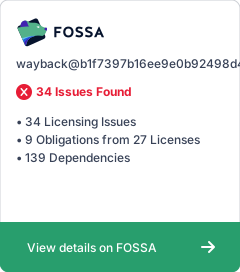
This software is released under the terms of the GNU General Public License v3.0. See the [LICENSE](https://github.com/wabarc/wayback/blob/main/LICENSE) file for details.
[](https://app.fossa.com/projects/custom%2B30014%2Fgithub.com%2Fwabarc%2Fwayback?ref=badge_large)
## Credits
Thanks to DigitalOcean for supporting open-source software.
<p>
<a href="https://m.do.co/c/cb27a8691d73">
<img src="https://opensource.nyc3.cdn.digitaloceanspaces.com/attribution/assets/SVG/DO_Logo_horizontal_blue.svg" width="201px" alt="DigitalOcean">
</a>
</p>
Highly configurable Web-based framework for management, description, and discovery of digital and physical collections supporting a variety of metadata standards, data types, and media formats.
Twitch VOD and live stream archiving platform. Includes a rendered chat for each archive.
next-generation web publishing platform for institutions interested in connecting digital cultural heritage collections with other resources online.
Lightweight self-hosted _wayback machine_ that creates HTML and PDF files from your bookmarks.
Create HTML & screenshot archives of sites from your bookmarks, browsing history, RSS feeds, or other sources (alternative to Wayback Machine).