
W
Lightweight, mutli-user, flat-file-database Wiki engine. Create pages quickly and edit them in your Web browser using Mardown/HTML/CSS/JS. The main difference with other wiki is that you are encouraged to customize each page style individually.
Lightweight, mutli-user, flat-file-database Wiki engine. Create pages quickly and edit them in your Web browser using Mardown/HTML/CSS/JS. The main difference with other wiki is that you are encouraged to customize each page style individually.
# W-CMS
[![checks][github]][action] ![style][codestyle] ![phpstan][phpstan] [![coverage][coverage]][codecov]
W is a lightweight CMS tool, meant to help you design a website using a unique approach. It's targeting artists, or experimental projects.
To have a better idea of what W can do, you can check out the [webiste](https://w.club1.fr).
If tou want to try it out, you can :
- follow the [install instructions](#how-to-install) to host your own instance of W.
- be hosted for free by [club1.fr](https://club1.fr) as an official tester (please contact [vincent+w@club1.fr](mailto:vincent+w@club1.fr) for more info).
W is a free and open source tool under [the AGPLv3 License](LICENSE). The project was initiated in 2018 by [Vincent Peugnet](https://246.eu/vincent-peugnet).
Ideas
-----
**W** was first a tool, based on my way of thinking, as a protesis, to write on ideas and create a self explorating text point n' click game.
It's a mix between a drive, a wiki and a personnal blog. You can create page very quickly and share them with other people or keep them for you and restricted people.
There is no boundaries beetween taking notes and creating a website. When you create a page, you create a space in internet, a place, that can be public or private. Then, you decide to link it or not with the others places you've created before.
There is a lots of possibilites of creations, for people who need to create multi-aspect labyrinth websites, to use a half public/private mindmap, or even interactives fictions.
Highlights
----------
W try to help you create pages more spontaneously.
- Very lightweight page loading and editor
- Use standards to edit your pages : markdown, HTML, CSS and Javascript
- Media manager
- Multi-users
- Geolocalisation : generate map using page's coordinates **(BETA)**
- Flat file database
- LDAP authentication **(BETA)**
- Great website architecture design freedom
- [url based command interface](MANUAL.md#url-based-command-interface)
- Images can be optimized for the Web when uploaded by editors
- 100% functionnal even without javascript
Screenshots
-----------
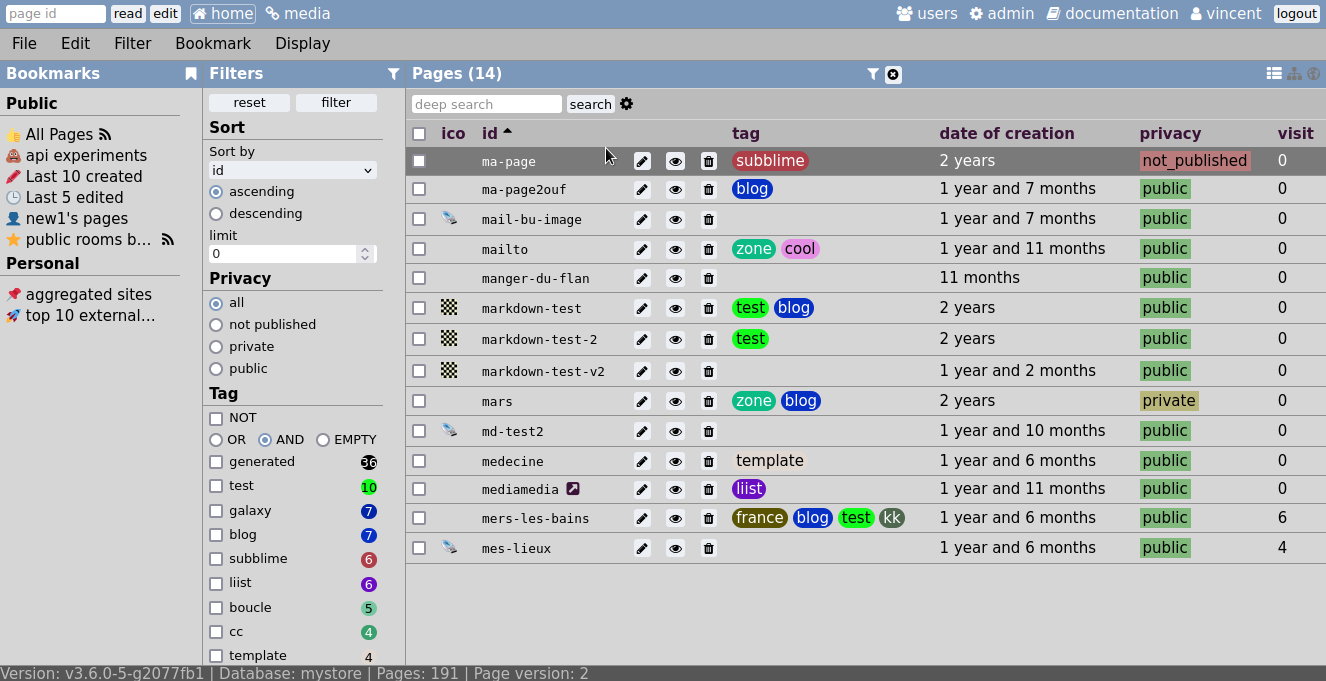
Homepage, showing your pages database.
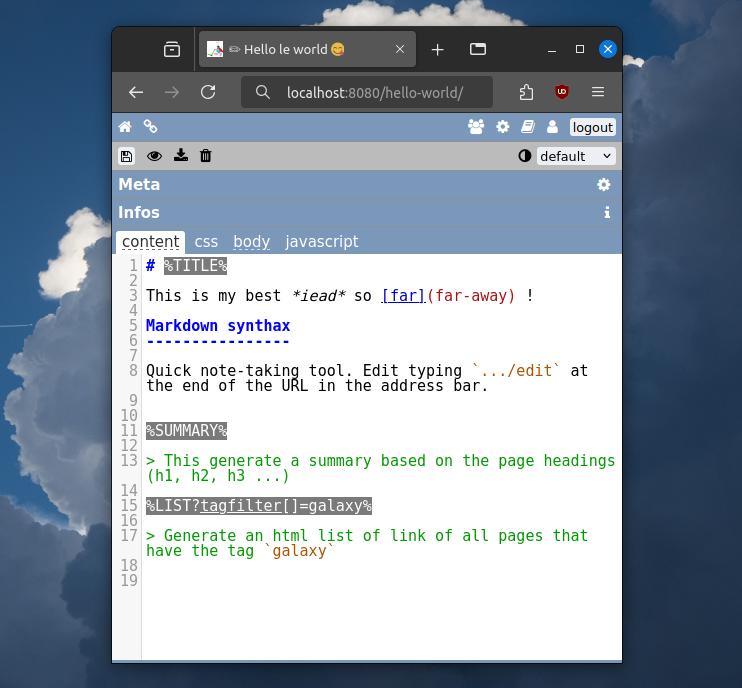
Quickly edit pages as if you where taking notes. You need to connect as editor, then just type `../edit` at the end of the page you want to edit ot use the menu.
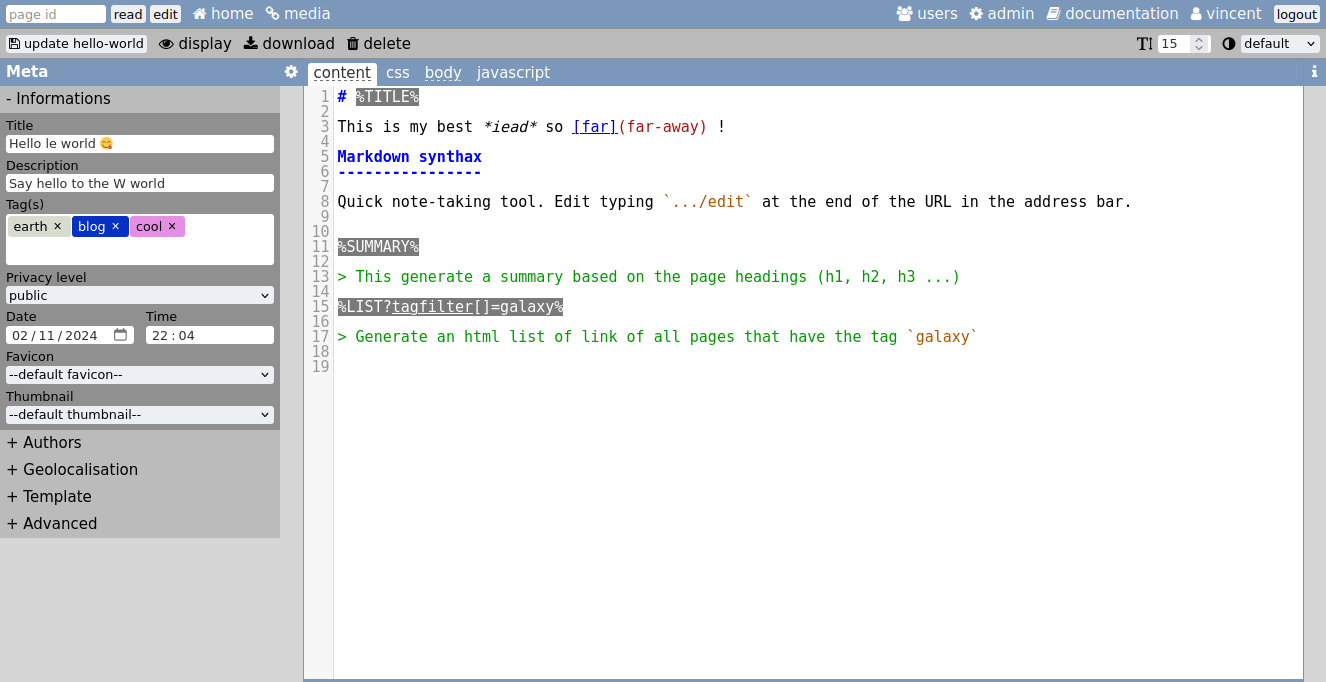
Edit metadata on the left panel.
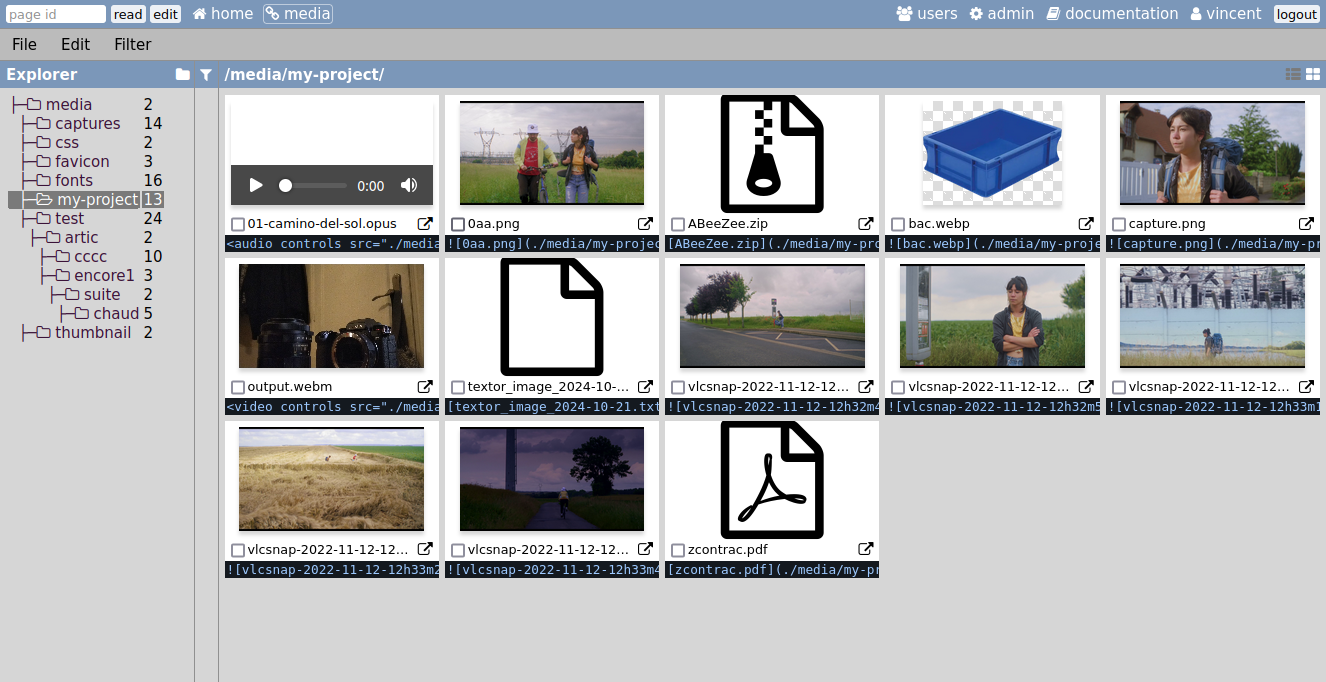
Manage your assets using the media manager.
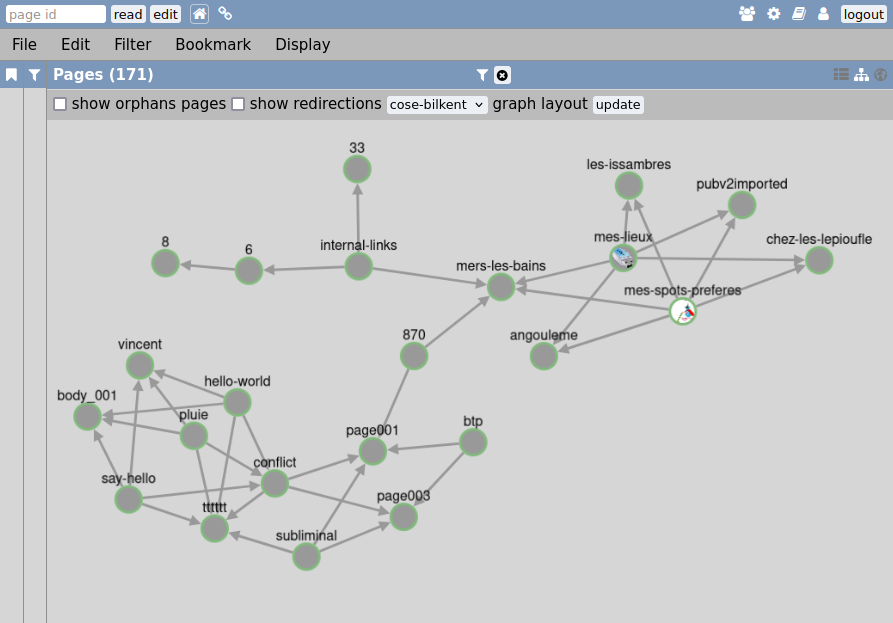
You can even view a graph of links.
Rendering diagram
-----------------
W page rendering is documented through [this diagram](RENDER.md).
API
---
An API exist but is experimental for now (v0). Find more info [in the API documentation](API.md)
Development team
----------------
W is a project created and maintained by [Vincent Peugnet](https://github.com/vincent-peugnet), an amateur computer science enthousiast who can only code in PHP. It includes [Nicolas Peugnet](https://github.com/n-peugnet) (his brother) as JS developer, technical advisor. He's the one that take care of every challenges that are too complicated for Vincent. And more recently, [Julien Bidoret](https://accentgrave.net/) joined the project and did an excellent job of refreshing the user interface.
We can also mention *Fae Prévost Leygonie* as legendary number one user and issue writer too.
### Thanks to
- James Moss's [Flywheel Database](https://github.com/jamesmoss/flywheel)
- Michel Fortin's [Markdown Extra](https://github.com/michelf/php-markdown)
- the [Plates](https://github.com/thephpleague/plates) template engine.
- the advanced text editor [Code Mirror](https://codemirror.net/)
- the [Cytoscape JS](https://js.cytoscape.org/) graph engine
- interactive map library [Leaflet](https://leafletjs.com/)
How to install
==============
__Server requirements__
- apache server (but nginx *seems fine* too)
- PHP >=7.4.0 and the following extensions: `curl mbstring xml intl`
- optionally: `gd` or `imagick` PHP extensions for [image optimizer feature](MANUAL.md#optimize-images).
__W__ don't need any database manager as it use a "flat file" system.
You can put W at the root of your domain, or in subfolders. Then access the address in your browser and follow the differents steps.
**💡 Advanced installs:** W can also run with **Nginx**, checkout [Nginx sample configuration](#nginx)
Install using latest release zip
--------------------------------
Simply download the [latest realease](https://github.com/vincent-peugnet/wcms/releases/latest) from Github, and unzip it in your hosted folder.
Install using Git
-----------------
If you have a SSH access to your server and you are familiar with Git, you can install W from sources. See [Install from sources](#install-from-sources).
### updating
1. update git
git pull
2. choose a release tag
git checkout TAG
Replace `TAG` with release name (for example `v3.5.0`). Check [the latest release](https://github.com/vincent-peugnet/wcms/releases/latest) to get the latest release tag.
3. build what's necessary
make build
Other configurations
--------------------
Some documentation for non Apache based installs:
### Nginx
Here is a sample nginx configuration suggested by **ppom**:
```nginx
# Max upload size
# This must be set as well in PHP-FPM's conf
# /etc/php/8.2/fpm/php.ini
# upload_max_filesize = 50M
# post_max_size = 50M
client_max_body_size 50m;
# no directory listing
autoindex off;
# All files in assets and media folders are served directly by NGINX
location ~ ^/(assets|media)/ {
# root is put here as extra security:
# we don't want NGINX to serve anything else in this folder
root /var/www/html;
# First attempt to serve request as file, then
# as directory, then fall back to displaying a 404.
try_files $uri $uri/ =404;
}
# Everything else is handled by index.php
location / {
rewrite ^ /index.php last;
}
# index.php redirects to PHP-FPM
location = /index.php {
# root is put here as extra security:
# we don't want NGINX to serve anything else in this folder
root /var/www/html;
include snippets/fastcgi-php.conf;
# With php-fpm (or other unix sockets):
fastcgi_pass unix:/run/php/php8.2-fpm.sock;
# With php-cgi (or other tcp sockets):
#fastcgi_pass 127.0.0.1:9000;
}
```
See [issue #541 on Github](https://github.com/vincent-peugnet/wcms/issues/541) for more infos.
Development informations
========================
If you want to contribute to the project.
Prerequisites
-------------
- PHP >=7.4.0
- PHP extensions : `curl mbstring xml gd imagick`
- [Composer](https://getcomposer.org/)
- _Optionally_ [NPM](https://www.npmjs.com/get-npm)
### Debian and derivatives
sudo apt install php php-curl php-mbstring php-xml composer nodejs npm
Install from sources
--------------------
1. Clone the git repository.
2. Install PHP dependencies.
make vendor
3. _Optionally_ install and build JS dependencies to get UI enhancements.
make build
The last two commands can be run at once using only `make`.
PHP development
---------------
You can easily run a dev server using the `serve` target:
make serve
This command also run XDebug if installed (`php-xdebug` package).
There is an error reporting debug mode using [Whoops](https://github.com/filp/whoops). It can be enabled by setting the value of `debug` in `config.json` to one of [editors supported by Whoops](https://github.com/filp/whoops/blob/master/docs/Open%20Files%20In%20An%20Editor.md).
### extensions
W detect itself if `gd` or `imagick` extensions are installed and automatically choose which one to use (it prefers ImageMagick 😋). To test what append in differents configurations, one may want to quickly enable ore disable those extensions.
For example, to toggle Imagick extension on Debian/Apache install with PHP 8.1, one can use the following commands:
sudo apt remove php8.1-imagick && sudo systemctl restart apache2.service
and
$ sudo apt install php8.1-imagick && sudo systemctl restart apache2.service
JS development
--------------
While developing JS code it is useful to run webpack in watch mode so that the bundles get built at each file change. To do so, use the following command:
make watch
To run both the php dev server and webpack in watch mode, it is possible to run:
make dev
Run checks
---------
Multiple tools are used to perform checks on the source code:
- **phpcs** to lint PHP code
make lint
- **phpunit** to run unit test on PHP code
make test
All checks can be run with a single command
make check [--keep-going]
Publish a new release
---------------------
The release process uses GitHub's CLI so you will need to have it installed (`sudo apt install gh`).
It also uploads sourcemaps to [Sentry](https://sentry.io/).
So to create and publish a new release you will need two access tokens:
- a [GitHub personnal access token](https://github.com/settings/tokens) with `repository` access
- a [Sentry authentification token](https://sentry.io/settings/account/api/auth-tokens/) with `project:read`, `project:releases` and `org:read` access
saved in a `.env` file like so:
```bash
# .env
GITHUB_TOKEN='<github token value>'
SENTRY_AUTH_TOKEN='<sentry token value>'
```
Then, to make the release, run one of the following command:
make release-patch
make release-minor
make release-major
To only build the release zip, simply run `make dist`. This will create a zip file in `dist/` of the current version.
[github]: https://img.shields.io/github/actions/workflow/status/vincent-peugnet/wcms/checks.yml?branch=master&label=checks
[action]: https://github.com/vincent-peugnet/wcms/actions?query=branch%3Amaster+workflow%3Achecks
[codestyle]: https://img.shields.io/badge/code%20style-PSR12-brightgreen
[phpstan]: https://img.shields.io/badge/phpstan-level%206-green
[coverage]: https://img.shields.io/codecov/c/gh/vincent-peugnet/wcms
[codecov]: https://codecov.io/gh/vincent-peugnet/wcms
A lightning fast and infinitely extensible tool for creating personal non-linear notebooks, databases, and wikis that is entirely self-contained, runs in your browser, and is only 58 kilobytes in size.