
← Back to all services
GitHub repository information
Fetched · September 15, 2026★ 3,798Latest: 3000.20.0Updated: September 14, 2026
README
<div align = "center">
<img alt = "project logo" src = "https://github.com/OliveTin/OliveTin/blob/main/frontend/OliveTinLogo.png" width = "128" />
<h1>OliveTin</h1>
OliveTin gives **safe** and **simple** access to predefined shell commands from a web interface.
[](#none)
[](https://discord.gg/jhYWWpNJ3v)
[](https://github.com/awesome-selfhosted/awesome-selfhosted#automation)
[](https://bestpractices.coreinfrastructure.org/projects/5050)
[](https://goreportcard.com/report/github.com/OliveTin/OliveTin)
[-blue)](https://blog.jread.com/posts/ai-levels-of-autonomy-in-software-engineering/)
[OliveTin 2k to 3k upgrade guide](https://docs.olivetin.app/upgrade/2k3k.html)
</div>
<img alt = "screenshot" src = "https://github.com/OliveTin/OliveTin/blob/main/var/marketing/screenshots/mainpage-laptop_framed.png" />
<a href = "#screenshots">More screenshots below</a>
All documentation can be found at [docs.olivetin.app](https://docs.olivetin.app). This includes installation and usage guide, etc.
The AsciiDoc sources for that site live in this repository under [`docs/`](docs/) (Antora component). The [docs.olivetin.app](https://github.com/OliveTin/docs.olivetin.app) repository contains the Antora playbook, theme supplemental files, and the workflow that publishes GitHub Pages.
## Use cases
**Safely** give access to commands, for less technical people;
* eg: Give your family a button to `podman restart plex`
* eg: Give junior admins a simple web form with dropdowns, to start your custom script. `backupScript.sh --folder {{ customerName }}`
* eg: Enable SSH access to the server for the next 20 mins `firewall-cmd --add-service ssh --timeout 20m`
**Simplify** complex commands, make them accessible and repeatable;
* eg: Expose complex commands on touchscreen tablets stuck on walls around your house. `wake-on-lan aa:bb:cc:11:22:33`
* eg: Run long-lived commands on your servers from your cell phone. `dnf update -y`
* eg: Define complex commands with lots of preset arguments, and turn a few arguments into dropdown select boxes. `docker rm {{ container }} && docker create {{ container }} && docker start {{ container }}`
[Join the community on Discord](https://discord.gg/jhYWWpNJ3v) to talk with other users about use cases, or to ask for support in getting started.
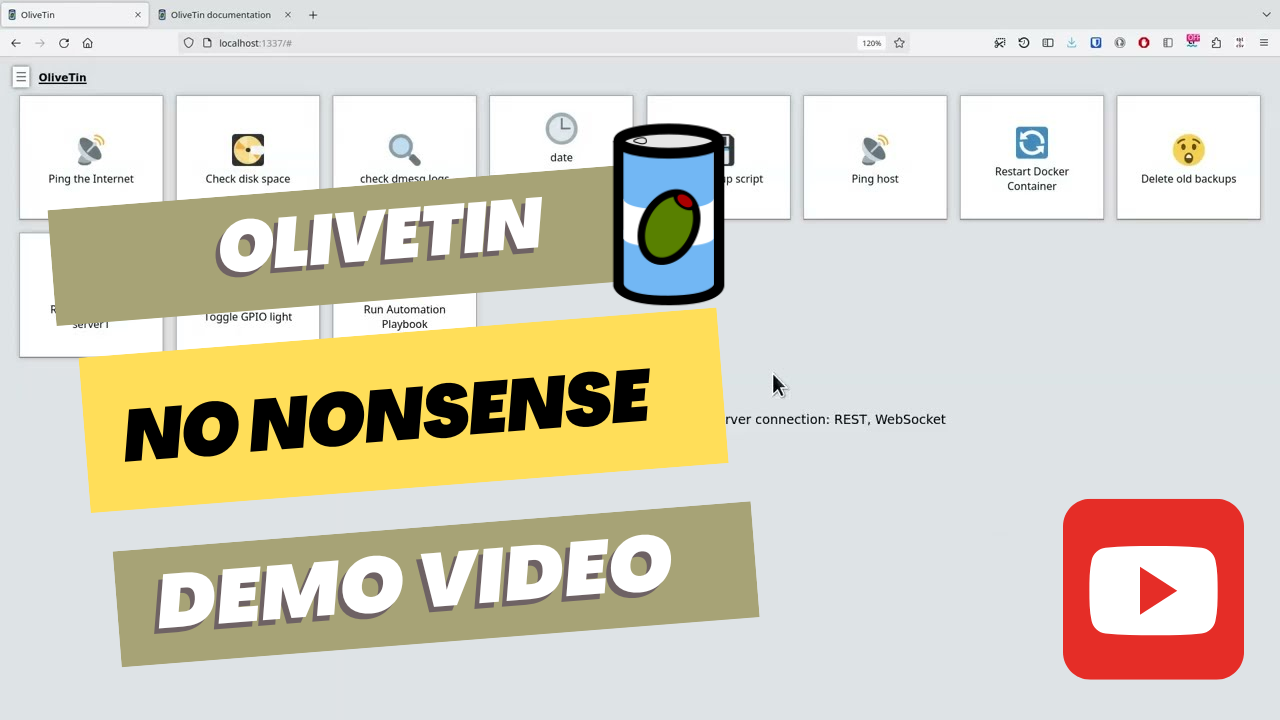
## YouTube demo video
[](https://www.youtube.com/watch?v=UBgOfNrzId4)
## Features
* **Responsive, touch-friendly UI** - great for tablets and mobile
* **Super simple config in YAML** - because if it's not YAML now-a-days, it's not "cloud native" :-)
* **Dark mode** - for those of you that roll that way.
* **Accessible** - passes all the accessibility checks in Firefox, and issues with accessibility are taken seriously.
* **Container** - available for quickly testing and getting it up and running, great for the selfhosted community.
* **Integrate with anything** - OliveTin just runs Linux shell commands, so theoretically you could integrate with a bunch of stuff just by using curl, ping, etc. However, writing your own shell scripts is a great way to extend OliveTin.
* **Lightweight on resources** - uses only a few MB of RAM and barely any CPU. Written in Go, with a web interface written as a modern, responsive, Single Page App that uses the REST/Connect RPC API.
* **Good amount of unit tests and style checks** - helps potential contributors be consistent, and helps with maintainability.
## Screenshots
Desktop web browser;
<p align = "center">
<img alt = "screenshot" src = "https://github.com/OliveTin/OliveTin/blob/main/var/marketing/screenshots/mainpage-laptop_framed.png" />
</p>
Desktop web browser (dark mode);
<p align = "center">
<img alt = "screenshot" src = "https://github.com/OliveTin/OliveTin/blob/main/var/marketing/screenshots/mainpage-darkop_framed.png" />
</p>
Mobile screen size (responsive layout);
<p align = "center">
<img alt = "screenshot" src = "https://github.com/OliveTin/OliveTin/blob/main/var/marketing/screenshots/mainpage-phone_framed.png" style = "width: 700px;" />
</p>
## No-Nonsense Software Principles
OliveTin follows these principles:
* **Open Source & Free Software**: following the [Open Source Definition](https://opensource.org/osd) and the [Free Software Definition](https://www.gnu.org/philosophy/free-sw.html). All code and assets are available under the [AGPL-3.0 License](LICENSE).
* **Independent**: No company owns the code or is responsible for the projects' governance.
* **Inclusive**: No "core", "pro", "premium" or "enterprise" version. The only version is the one you can download and run, and it has all the features.
* **Invisible**: No usage tracking, no user tracking, no ads, and no telemetry.
* **Internal**: No internet connection required for any functionality.
## Documentation
All documentation can be found at [docs.olivetin.app](https://docs.olivetin.app). This includes installation and usage guide, etc.
You can find instructions in the docs on how to install as a **Linux package**, **Linux Container**, on **FreeBSD**, **Windows**, **macOS** and other platforms, too!
## Donations & Sponsorship
OliveTin does not accept monetary donations or sponsorship. See [Donations & Sponsorship](https://docs.olivetin.app/reference/donations_and_sponsorship.html) for the full explanation.
* Free code signing provided by [SignPath.io](https://about.signpath.io/), certificate by [SignPath Foundation](https://signpath.org/).
Discover more
Business automation tool that lets you connect different services like Twitter, Slack, and more to automate your business processes (alternative to Zapier).
9/15/2026Details →
Employee onboarding platform that allows you to provision user accounts and create sequences with todo items, resources, text/email/Slack messages, and more! Available as a web portal and Slack bot.
9/15/2026Details →
Use one or more instances of HandBrake video transcoder on a headless device via a web interface.
9/15/2026Details →
Automation engine that models and executes business processes declared in yaml.
9/15/2026Details →
No-code business automation tool like Zapier or Tray. For example, you can send a Slack notification for each new Trello card.
9/15/2026Details →
Platform to programmatically author, schedule, and monitor workflows.
9/15/2026Details →