
← Back to all services
GitHub repository information
Fetched · September 15, 2026★ 3,437Latest: v2.0.20Updated: September 12, 2026
README
# Microweber: Drag-and-Drop CMS

**Current version: 2.0 running on Laravel 10!**
[Download Microweber](https://microweber.com/download.php) | [What is Microweber?](#what-is-microweber) | [Core Features](#core-features) | [System Requirements](#system-requirements) | [Installation](#installation) | [Getting Started](#getting-started) | [Contribute](#contribute)
---
## What is Microweber?
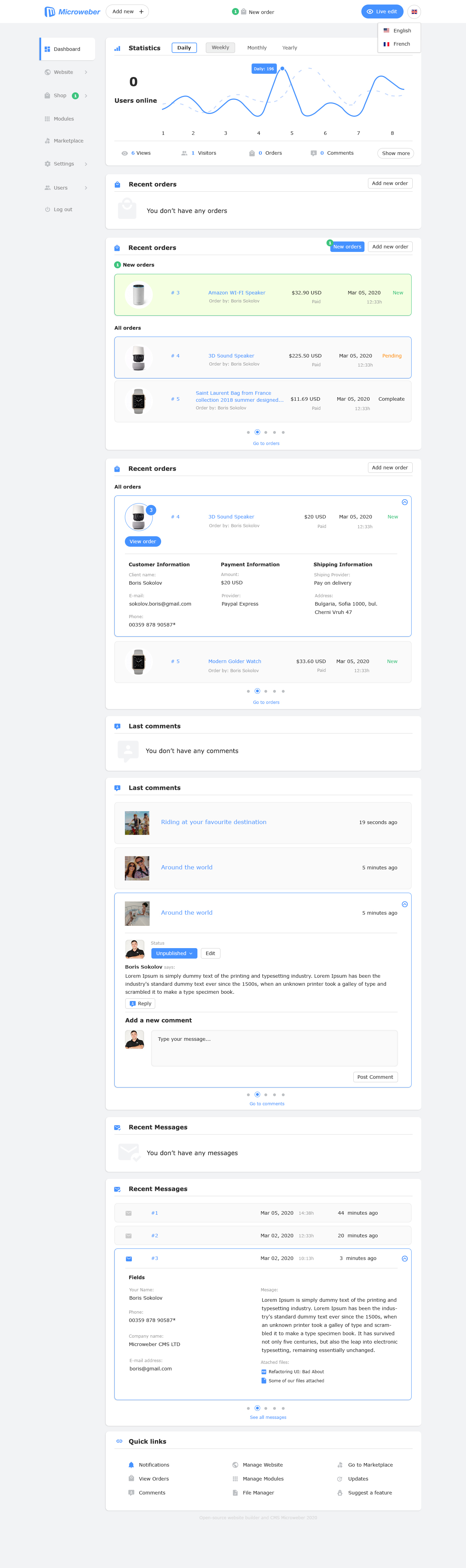
Microweber is a Drag-and-Drop website builder and a robust next-generation Content Management System (CMS) based on the PHP Laravel Framework.
It empowers you to create various types of websites, online stores, and blogs without requiring any technical expertise.
At its core, Microweber is designed to support your journey toward online success.
It offers an array of modules, customizations, and features tailored to e-commerce enthusiasts and bloggers.
The CMS leverages the latest Drag & Drop technology and real-time text editing for an enhanced user experience, streamlined content management, visual appeal, and flexibility.
## Core Features of Microweber
### Drag & Drop
Microweber utilizes intuitive Drag & Drop technology, enabling users to manage content effortlessly by simply clicking and dragging elements across the screen. This functionality extends to various content types, including images, text fields, videos, and a variety of modules and customization options. The default template, "Dream," boasts over 75+ pre-designed layouts available for instant use via drag and drop.
### Real-Time Text Editing
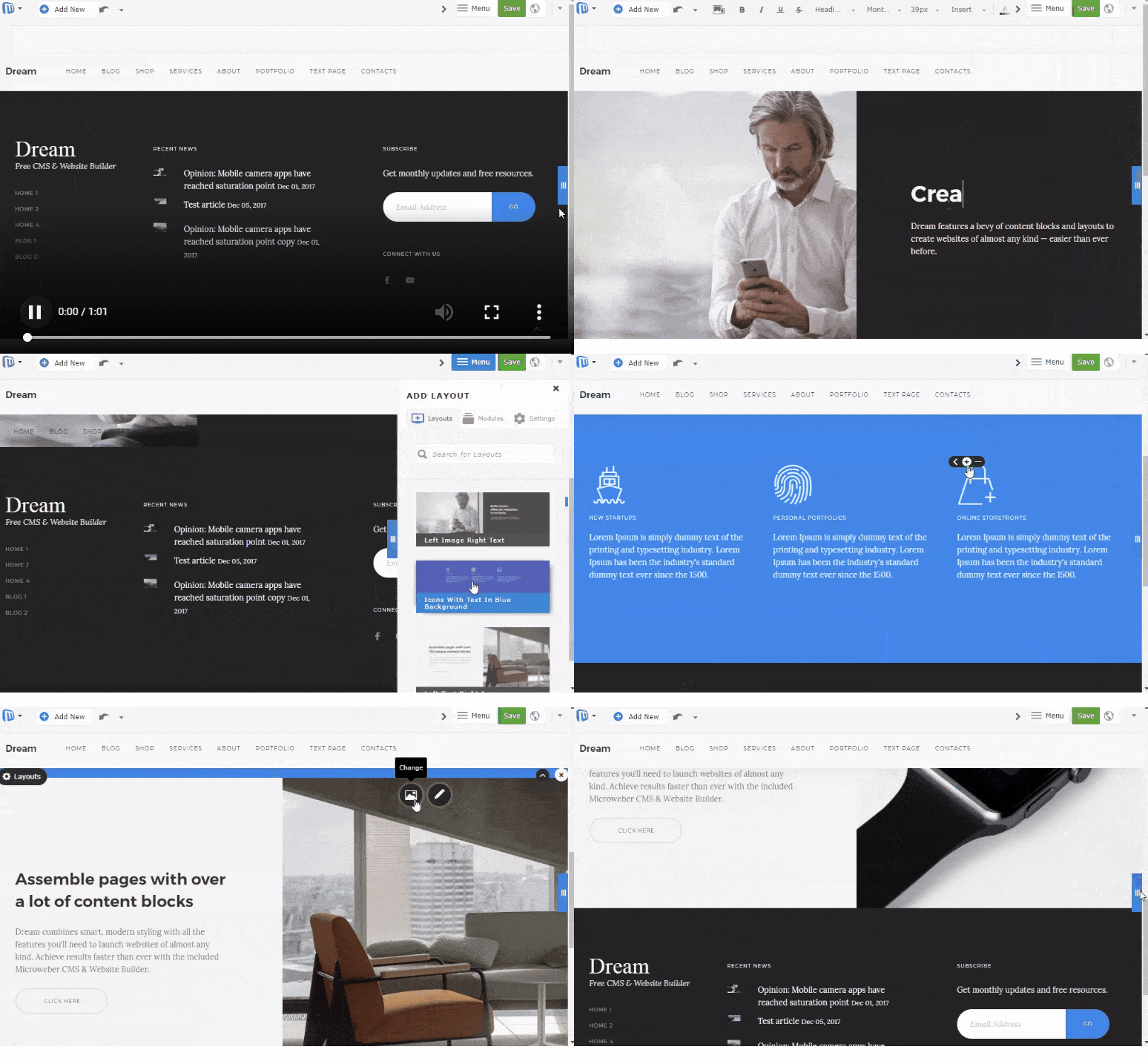
Live Edit view is the embodiment of Microweber CMS's Real-Time Text Writing & Editing feature, allowing you to make changes to your website's interface in real time.
### Powerful Admin Panel
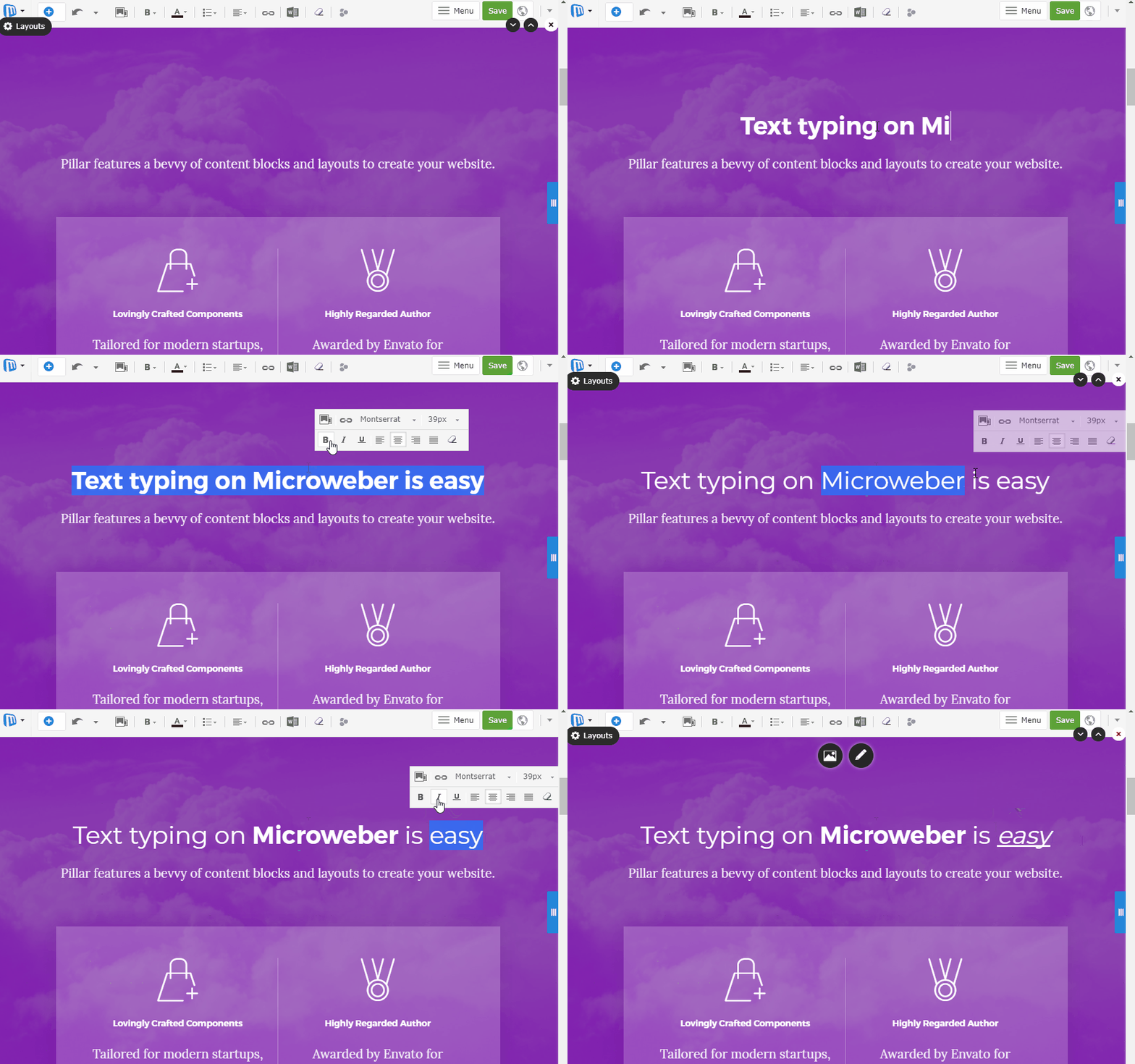
Microweber equips you with the capability to add dynamic pages, posts, and products, which can be organized into custom categories for enhanced navigation and content presentation. New pages can be created using different layouts, and each page, post, or product comes with a variety of preset layouts and modules to jumpstart your content creation. You can also add your custom modules to tailor your content precisely to your needs.
### E-commerce Solution
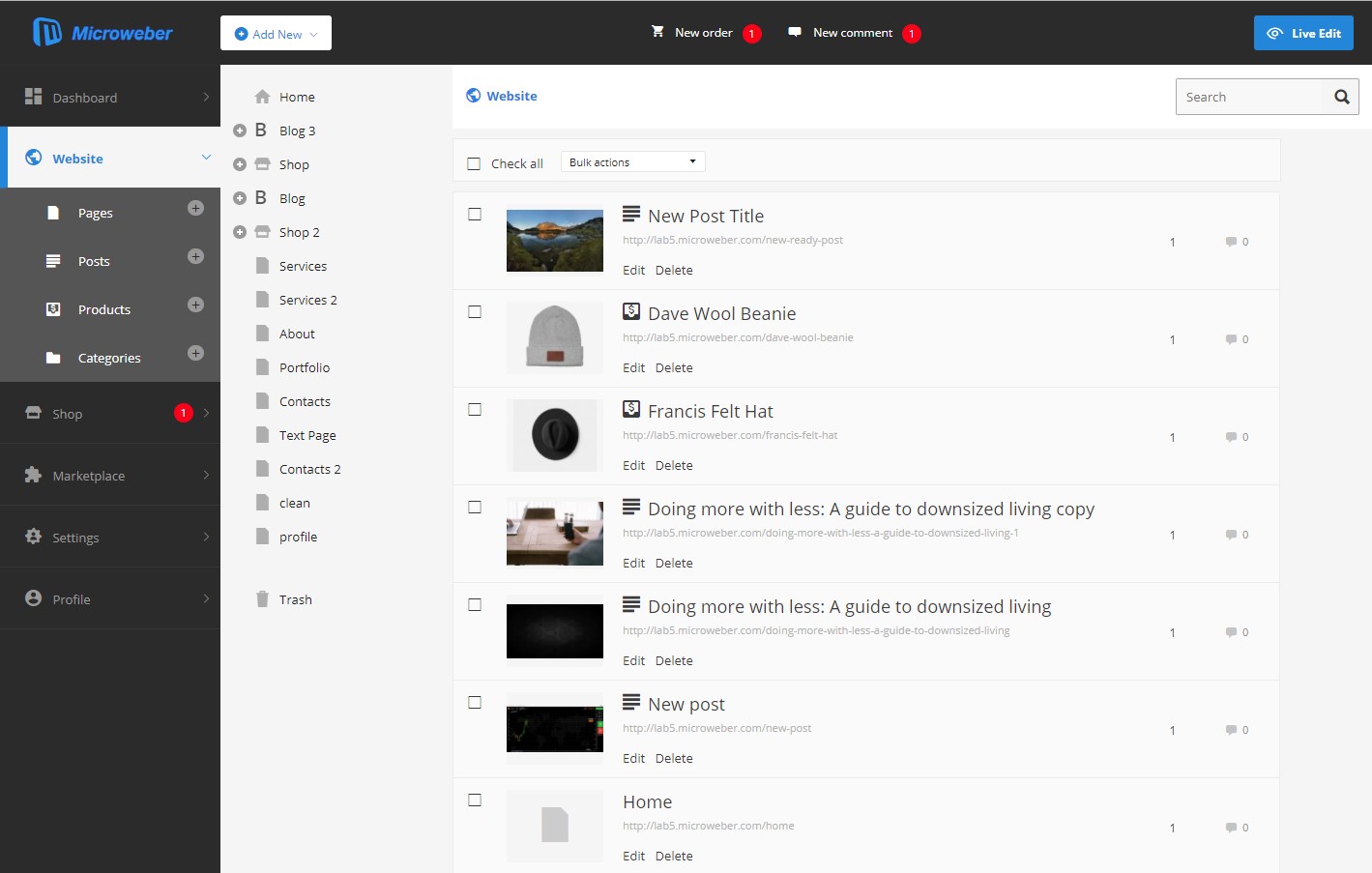
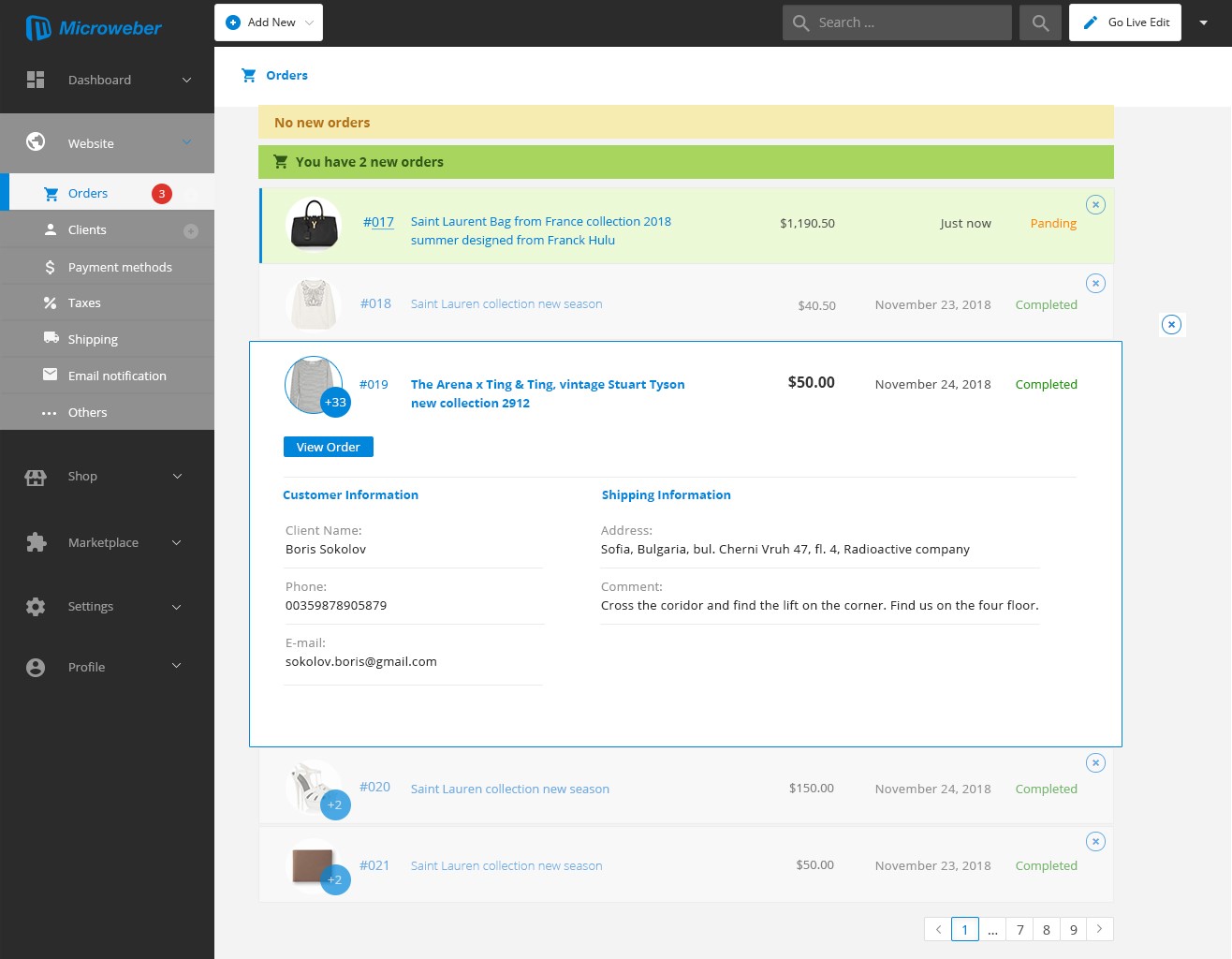
Microweber CMS primarily focuses on e-commerce, making it an ideal choice for aspiring online entrepreneurs. The software includes built-in features that support online shop founders, helping their businesses grow and excel.
[Give a star to Microweber](https://microweber.com/cdn/2019_version/Star-Microweber.gif)
## See it in action
- [Create website](https://microweber.com) with Microweber
- [Microweber Live Demo](https://demo.microweber.org/?template=dream)
- [Microweber Videos](https://www.youtube.com/c/microweberwebsitebuildercms)
- [Deploy Microweber on DigitalOcean](https://marketplace.digitalocean.com/apps/microweber?action=deploy&refcode=83e0646738fe)
- [Deploy Microweber Azure](https://azuremarketplace.microsoft.com/en-us/marketplace/apps/microwebercms.microweber-cms?tab=Overview)
- [Deploy Microweber on Linode](https://www.linode.com/marketplace/apps/microweber/microweber-cms/)
- [Deploy Microweber on Vultr](https://www.vultr.com/marketplace/apps/microweber)
- [Use Microweber Plesk plugin](https://microweber.org/go/plesk_plugin/)
## System Requirements
To run Microweber, you need the following components:
- HTTP server
- Database server
- PHP >= 8.2
- `lib-xml` with DOM support
- `GD` PHP extension
- `intl` PHP extension
- `curl` PHP extension
- `json` PHP extension
- `openssl` PHP extension
- `sodium` PHP extension
- `mbstring` PHP extension
- `bcmath` PHP extension
- `zip` PHP extension
- `openssl` PHP extension
- `bcmath` PHP extension
- `fileinfo` PHP extension
- `pdo_sqlite` PHP extension
- `pdo_mysql` PHP extension
### PHP installation command
```bash
sudo apt install php8.2-{bcmath,bz2,curl,curl,dom,fileinfo,gd,intl,mbstring,mysql,opcache,sqlite3,xmlrpc,zip}
```
### HTTP Server
#### Apache
Ensure that the `mod_rewrite` module is enabled in your Apache configuration. Microweber automatically creates necessary `.htaccess` files during installation, including one with a `Deny All` directive in each folder to prevent unauthorized access to entry points other than `index.php`.
#### Nginx
For Nginx, add the following `location` directive to your server configuration block. The `root` directive should point to the base folder of your Microweber website (usually where this readme is located).
```nginx
server {
location / {
try_files $uri $uri/ /index.php$is_args$args;
}
location ~ /(vendor|src|config|database|bootstrap|storage|app|routes|.git|.env) {
deny all;
return 404;
}
}
```
### IIS
You can import the `.htaccess` rewrite rules for IIS. Ensure that the URL Rewrite module is enabled for your website.
### Database
Microweber supports multiple database engines, including MySQL, SQLite, Microsoft SQL Server, and PostgreSQL. For small websites, SQLite is highly recommended. During installation, you can select from the databases enabled in your PHP configuration. If your preferred database server isn't listed, make sure to enable the corresponding PDO extension for your server in your PHP configuration.
## Installation
### The Fast Way: Download and Unzip
The quickest way to get started is to [download Microweber](https://microweber.com/download.php) and unzip the files.
### Via Composer
#### Installing Dependencies
Ensure you have [Composer installed](https://getcomposer.org/doc/00-intro.md) to download Microweber's dependencies.
Install Microweber with `composer` command:
```bash
composer create-project microweber/microweber my_site dev-master
```
Install NPM dependencies:
```bash
npm install
```
Build NPM dependencies:
```bash
npm run build
```
This command will install Microweber in a folder named `my_site`. Alternatively, you can clone the repository and then run `composer install` in the base directory.
#### File Permissions
Make sure that the following folders, and everything inside them, are writable by the user running the PHP scripts:
- config/
- storage/
- userfiles/
## Getting Started
For detailed guidance on getting started with Microweber, refer to our [online guides](http://microweber.com/docs/guides/README.md).
## Contribute
We welcome contributions from individuals who want to help us improve Microweber. If you're a developer, submitting
fixes is straightforward. Fork the Microweber repository, make your changes, submit a pull request, and ensure that all tests pass.
## Join our Discord server
Join our Discord server [here](https://microweber.org/go/discord).
[](https://discord.gg/Bsue9ey)
## Build Status
### Master branch

[](https://codecov.io/gh/microweber/microweber)
### Dev branch


All development is done on the `dev` branch. The `master` branch is used for stable releases.
Please note that the `dev` branch is not guaranteed to be stable at all times, and may contain bugs or other issues. Use it at your own risk.
Please submit all pull requests to the `dev` branch.
## Contributors
### Code Contributors
This project thrives thanks to all the contributors. [Learn how to contribute](CONTRIBUTING.md).
[](https://github.com/microweber/microweber/graphs/contributors)
### Financial Contributors
Become a financial contributor and help sustain our community. [Contribute here](https://opencollective.com/microweber/contribute).
### Translations
Translate Microweber into your language! Fork the repository, edit language files in the [lang](https://github.com/microweber/microweber/tree/master/src/MicroweberPackages/Translation/resources/lang) directory, commit changes, and submit a pull request. Your help is greatly appreciated!
#### Individuals
[](https://opencollective.com/microweber)
#### Organizations
Support this project with your organization, and your logo will be featured here with a link to your website.
[Contribute here](https://opencollective.com/microweber/contribute).
Discover more
Leading Laravel open source e-commerce framework with multi-inventory sources, taxation, localization, dropshipping and more exciting features.
9/15/2026Details →
Open Source Point of Sale is a web based point of sale system.
9/15/2026Details →
S-Cart is a free e-commerce website project for individuals and businesses, built on top of Laravel Framework.
9/15/2026Details →
PHP based open source e-commerce software made in Germany.
9/15/2026Details →
Symfony2 powered open source full-stack platform for eCommerce.
9/15/2026Details →