
Bugsink
Real-time error tracking for your applications with all the details in one place. Easy setup with clear instructions included.
# Bugsink: Error Tracking Made Simple Bugsink shows you when your code fails in production and why, with full stacktraces, local variables, and request context. **[Sign Up](https://www.bugsink.com/register/15K/)** and let us run Bugsink for you, or **[Self-Host](https://www.bugsink.com/docs/installation/)** on infrastructure you control. * [Error Tracking](https://www.bugsink.com/error-tracking/) * [Sentry-SDK compatible](https://www.bugsink.com/connect-any-application/) * [Scalable and reliable](https://www.bugsink.com/scalable-and-reliable/) * [Built to self-host](https://www.bugsink.com/built-to-self-host/) ### Screenshot 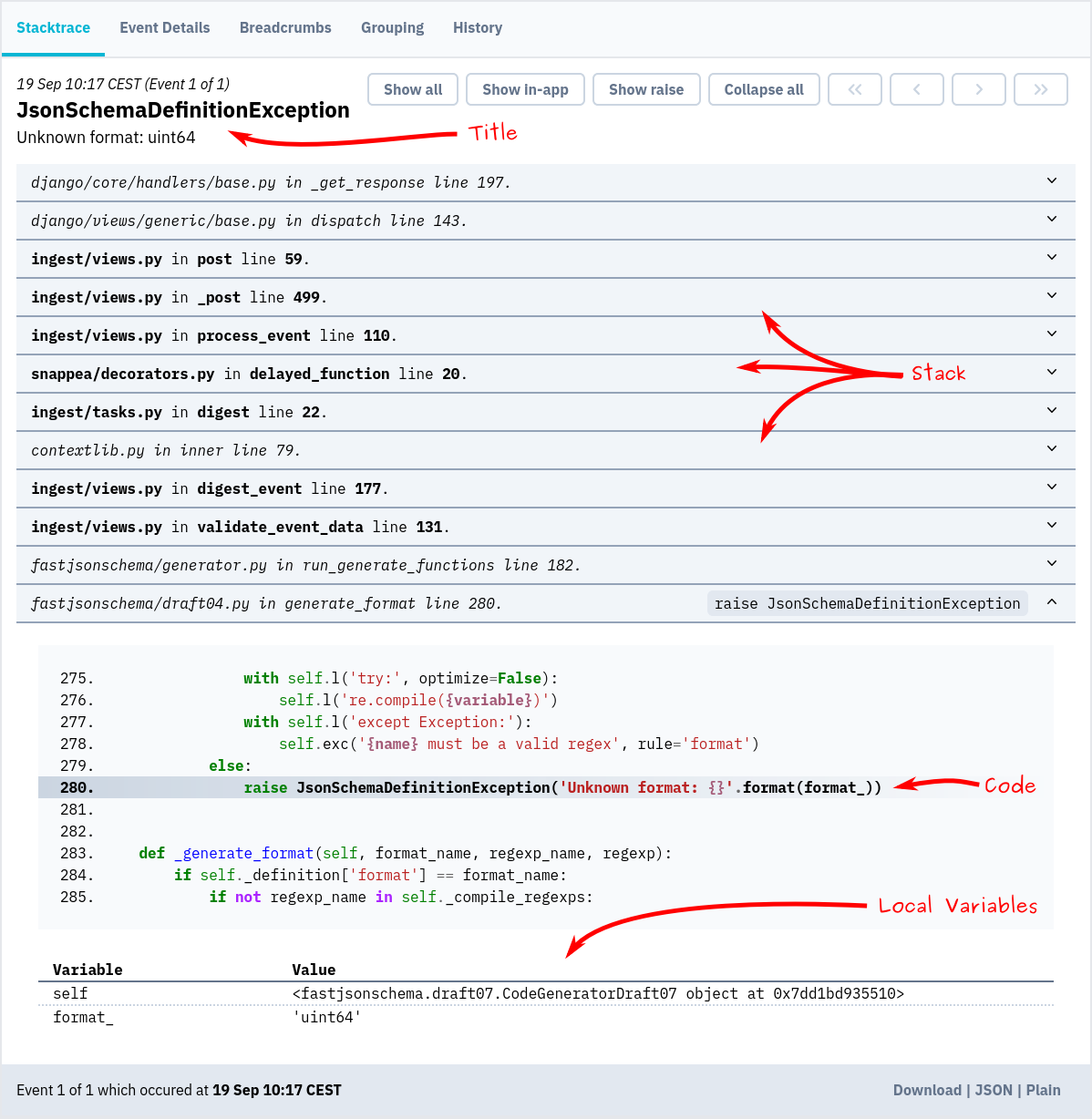 ### Self-hosting & docs To try self-hosting Bugsink, spin up a throw-away instance using Docker: ``` docker pull bugsink/bugsink:latest docker run \ -e SECRET_KEY=PUT_AN_ACTUAL_RANDOM_SECRET_HERE_OF_AT_LEAST_50_CHARS \ -e CREATE_SUPERUSER=admin@example.org:admin \ -e PORT=8000 \ -p 8000:8000 \ bugsink/bugsink ``` Visit [http://localhost:8000/](http://localhost:8000/), where you'll see a login screen. The default username and password are `admin`. Now, you can [set up your first project](https://www.bugsink.com/docs/quickstart/) and start tracking errors. [Detailed installation instructions](https://www.bugsink.com/docs/installation/) are on the Bugsink website. [More information and documentation](https://www.bugsink.com/)
On-Premise help desk software that includes email, chat, voice & help centre publishing. Full visible source code and API.
Helpdesk software which helps you streamline your company's support, offers an easy setup, clean user interface, and automation tools to resolve customer queries efficiently.