
← Back to all services
GitHub repository information
Fetched · September 15, 2026★ 4,415Latest: v3.2.1Updated: September 14, 2026
README
<p align='center'>
<img alt='Black Candy logo' width='200' src='https://raw.githubusercontent.com/blackcandy-org/black_candy/master/app/assets/images/logo.svg'>
</p>
# Black Candy
[](https://github.com/blackcandy-org/black_candy/actions/workflows/ci.yml)
[](https://coveralls.io/github/blackcandy-org/black_candy?branch=master)

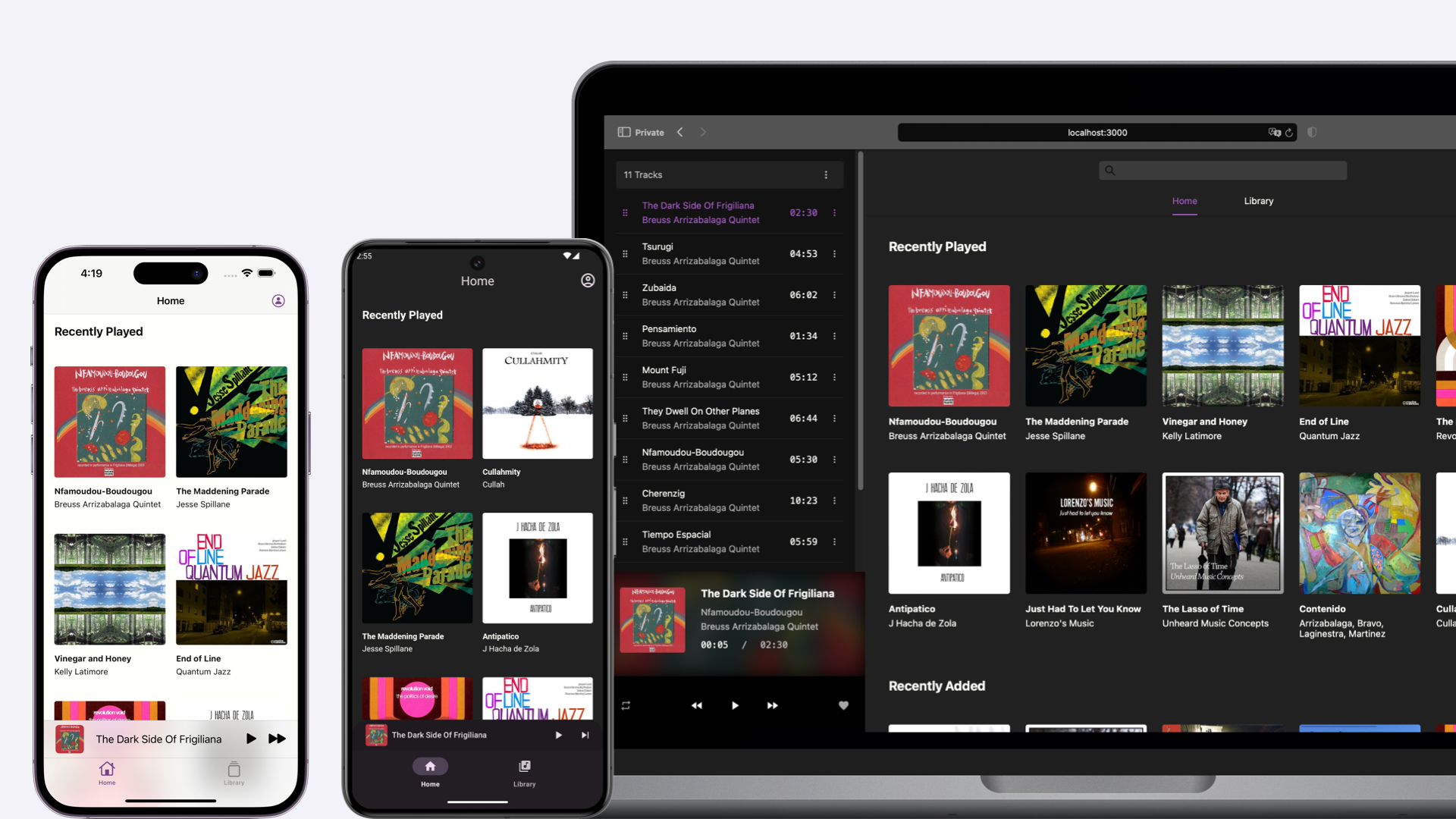
Black Candy is a self-hosted music streaming server, your personal music center.
## Try The Demo
Please visit <https://demo.blackcandy.org> and use demo user (email: admin@admin.com, password: foobar) to log in. And feel free to try it.
> [!NOTE]
> This demo user does not have administrator privileges. So you cannot experience all the features in Black Candy. And all music in the demo are from [Free Music Archive](https://freemusicarchive.org/). You can check their [licenses](https://github.com/blackcandy-org/blackcandy/blob/master/docs/demo_music_licenses.md).
## Installation
Black Candy uses docker image to install easily. You can run Black Candy like this.
```shell
docker run -p 80:80 ghcr.io/blackcandy-org/blackcandy:latest
# Or pull from Docker Hub.
docker run -p 80:80 blackcandy/blackcandy:latest
```
That's all. Now, you can access either http://localhost or http://host-ip in a browser, and use initial admin user to log in (email: admin@admin.com, password: foobar).
## Upgrade
> [!IMPORTANT]
> If you upgrade to a new version, you need to read the upgrade guide carefully before upgrade. Because there are may some breaking changes in a new version.
>
> Please Check the [Upgrade Guide](https://github.com/blackcandy-org/blackcandy/blob/master/docs/upgrade.md) for upgrading to a new version
Upgrade Black Candy is pull new image from remote. Then remove an old container and create a new one.
```shell
docker stop <your_blackcandy_container>
docker rm <your_blackcandy_container>
docker pull ghcr.io/blackcandy-org/blackcandy:latest
docker run <OPTIONS> ghcr.io/blackcandy-org/blackcandy:latest
```
With docker compose, you can upgrade Black Candy like this:
```shell
docker-compose down
docker pull ghcr.io/blackcandy-org/blackcandy:latest
docker-compose up
```
## Mobile Apps
Black Candy mobile apps are available in the following app stores:
[<img src="https://raw.githubusercontent.com/blackcandy-org/app/master/images/appstore_badge.png" alt="Get it on App Store" height="50">](https://apps.apple.com/app/blackcandy/id6444304071)
[<img src="https://raw.githubusercontent.com/blackcandy-org/app/master/images/googleplay_badge.png" alt="Get it on Google Play" height="50">](https://play.google.com/store/apps/details?id=org.blackcandy.androidApp)
[<img src="https://raw.githubusercontent.com/blackcandy-org/app/master/images/fdroid_badge.png" alt="Get it on F-Droid" height="50">](https://f-droid.org/packages/org.blackcandy.androidApp/)
For Android app, you can also download APK from [GitHub Release](https://github.com/blackcandy-org/android/releases/latest)
## Configuration
### Port Mapping
Black Candy exports the 80 port. If you want to be able to access it from the host, you can use the `-p` option to map the port.
```shell
docker run -p 3000:80 ghcr.io/blackcandy-org/blackcandy:latest
```
### Media Files Mounts
You can mount media files from host to container and use `MEDIA_PATH` environment variable to set the media path for black candy.
```shell
docker run -v /media_data:/media_data -e MEDIA_PATH=/media_data ghcr.io/blackcandy-org/blackcandy:latest
```
### Use PostgreSQL As Database
Black Candy use SQLite as database by default. Because SQLite can simplify the process of installation, and it's an ideal choice for self-hosted small server. If you think SQLite is not enough, or you are using some cloud service like heroku to host Black Candy, you can also use PostgreSQL as database.
```shell
docker run -e DB_ADAPTER=postgresql -e DB_URL=postgresql://yourdatabaseurl ghcr.io/blackcandy-org/blackcandy:latest
```
### How to Persist Data
All the data that need to persist in Black Candy are stored in `/rails/storage`, So you can mount this directory to host to persist data.
```shell
mkdir storage_data
docker run -v ./storage_data:/rails/storage ghcr.io/blackcandy-org/blackcandy:latest
```
### Running as an Arbitrary User
When mounting volumes, you may encounter permission issues between the host and the Docker container. To resolve this issue, pass the UID and GID with the `--user` to set the same UID and GID as your host user.
```shell
docker run --user 2000:2000 -v ./storage_data:/rails/storage ghcr.io/blackcandy-org/blackcandy:latest
```
### Logging
Black Candy logs to `STDOUT` by default. So if you want to control the log, Docker already supports a lot of options to handle the log in the container. See: https://docs.docker.com/config/containers/logging/configure/.
### Secret Key Base
Black Candy uses cryptography to protect sessions and other security-sensitive data, and needs a secret value as the basis of those secrets. This value can be anything, but it should be unguessable, and specific to your instance.
You can use any long random string for this. One way to generate one is with `openssl`:
```shell
openssl rand -hex 64
```
Once you have one, set it in the `SECRET_KEY_BASE` environment variable:
```shell
docker run -e SECRET_KEY_BASE=your_generated_secret ghcr.io/blackcandy-org/blackcandy:latest
```
If `SECRET_KEY_BASE` is not set, Black Candy will generate a new one on each startup, which will invalidate all existing sessions.
### Example
And if you would like to use docker compose to run Black Candy. Here is an example `docker-compose.yml` file.
```YAML
services:
app:
image: ghcr.io/blackcandy-org/blackcandy:latest
restart: unless-stopped
ports:
- "3000:80"
volumes:
- storage_data:/app/storage
- ./media_data:/media_data
environment:
SECRET_KEY_BASE: fake_secret_key
MEDIA_PATH: /media_data
volumes:
storage_data:
```
## Environment Variables
| Name | Default | Description |
| --- | --- |-------------------------------------------------------------------------------------------------------------------------------------------------------------------------------------------------------------------------------------------------------------------------------------------|
| DB_URL | | The URL of PostgreSQL database. You must set this environment variable if you use PostgreSQL as database. |
| CABLE_DB_URL | | The URL of Pub/Sub database. You must set this environment variable if you use PostgreSQL as database. |
| QUEUE_DB_URL | | The URL of background job database. You must set this environment variable if you use PostgreSQL as database. |
| CACHE_DB_URL | | The URL of cache database. You must set this environment variable if you use PostgreSQL as database. |
| MEDIA_PATH | | You can use this environment variable to set media path for Black Candy, otherwise you can set media path in settings page. |
| DB_ADAPTER | "sqlite" | There are two adapters are supported, "sqlite" and "postgresql". |
| SECRET_KEY_BASE | | When the SECRET_KEY_BASE environment variable is not set, Black candy will generate SECRET_KEY_BASE environment variable every time when service start up. This will cause old sessions invalid, You can set your own SECRET_KEY_BASE environment variable on docker service to avoid it. |
| FORCE_SSL | false | Force all access to the app over SSL. |
| DEMO_MODE | false | Whether to enable demo mode, when demo mode is on, all users cannot access administrator privileges, even user is admin. And also users cannot change their profile. |
| HTTP_PORT | 80 | The port that Black Candy listens on inside the container. Useful when you want to run Black Candy on a port other than 80. |
## Edge Version
The edge version of Black Candy base on master branch, which means it's not stable, you may encounter data loss or other issues. However, I don't recommend normal user using an edge version. But if you are a developer who wants to test or contribute to Black Candy, you can use the edge version.
```shell
docker pull ghcr.io/blackcandy-org/blackcandy:edge
```
## Development
### Requirements
- Ruby 4.0
- Node.js 20
- libvips
- FFmpeg
Make sure you have installed all those dependencies.
### Install gem dependencies
```shell
bundle install
```
### Install JavaScript dependencies
```shell
npm install
```
### Database Configuration
```shell
rails db:prepare
rails db:seed
```
### Start all services
After you’ve set up everything, now you can run `./bin/dev` to start all services you need to develop.
Then visit <http://localhost:3000> use initial admin user to log in (email: admin@admin.com, password: foobar).
### Running tests
```shell
# Running all test
$ rails test:all
# Running lint
$ rails lint:all
```
## Integrations
Black Candy support get artist and album image from Discogs API. You can create an API token from Discogs and set Discogs token on Setting page to enable it.
## Sponsorship
This project is supported by:
<a href="https://www.jetbrains.com/community/opensource"><img src="https://resources.jetbrains.com/storage/products/company/brand/logos/jb_square.svg"></a>